Replace Multiple SaaS Tools With One Platform Today
Businesses that replace multiple SaaS tools with one platform typically cut software spend, eliminate login fatigue, and finally get a single source of truth for client data. For small and mid-sized companies without a dedicated IT department, juggling a dozen disconnected apps for files, calendars, communication, and client records is not just inconvenient — it is expensive, slow, and quietly risky. This guide goes further than the usual "swap five tools for one AI app" advice. Instead, it explains exactly why tool sprawl happens, what a genuinely unified platform looks like under the hood, how to plan a realistic migration, and how to tell a real consolidation platform from one that simply bolts acquired products together.
In this guide: what "one platform" actually means, the real cost of tool sprawl, how AI-labeled apps differ from true unified systems, a six-step migration plan, what to check before you buy, which specific SaaS categories you can retire, and fifteen frequently asked questions answered in full.
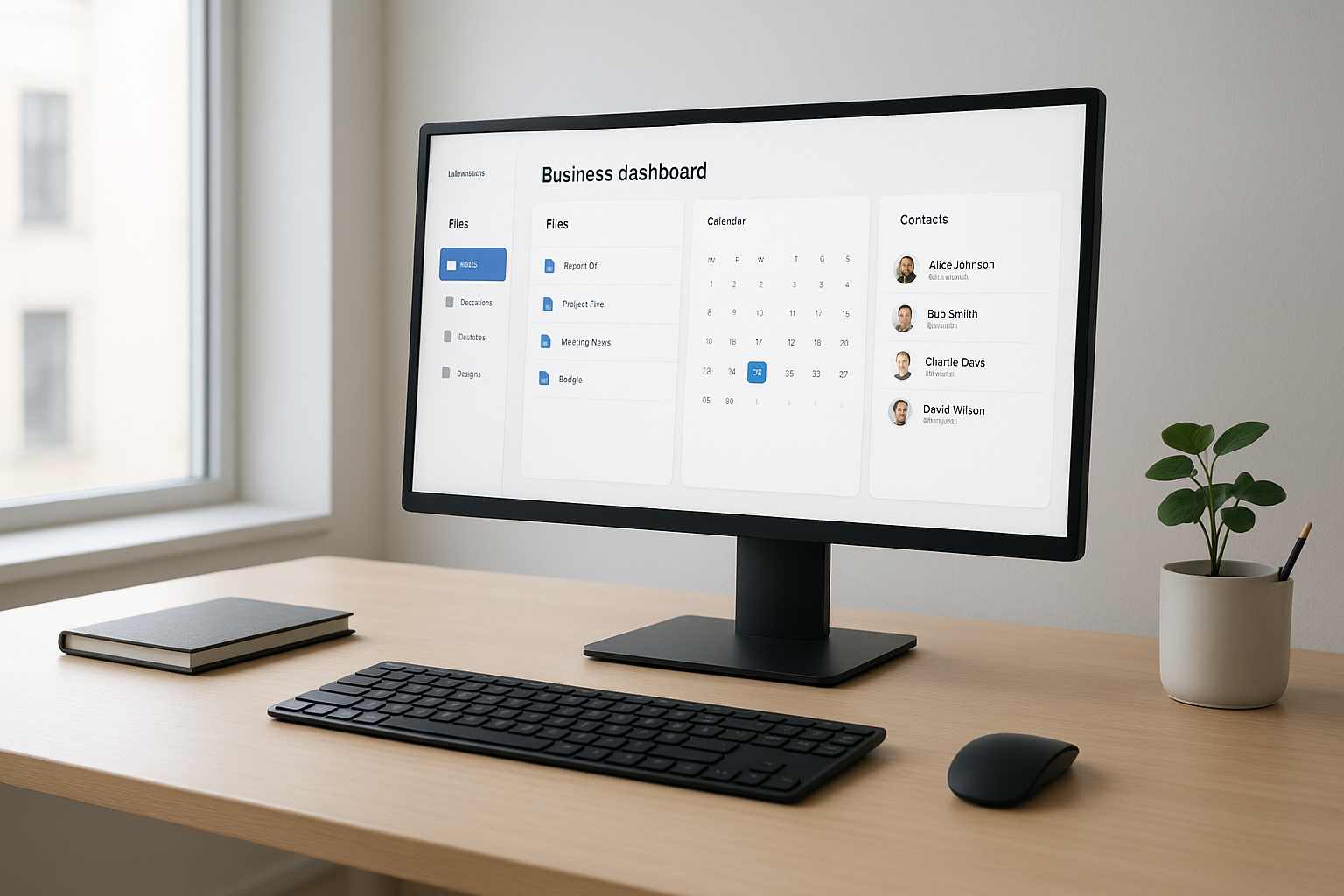
A single dashboard replaces the need to log in to several separate apps every day.
What Does It Mean to Replace Multiple SaaS Tools With One Platform?
Replacing multiple SaaS tools with one platform means moving the core applications a business depends on — file storage, CRM, calendar, and increasingly phones, email, and messaging — into a single system with one login, one bill, and one vendor to call for support. Instead of ten vendor relationships, there is one. As a result, data that used to live in separate silos becomes connected by default, rather than connected through fragile workarounds.
In practice, this is different from simply adding more integrations. Integrations connect apps that were never designed to work together, and they often break the moment one vendor changes its API. A true unified platform, by contrast, is built from the ground up so every module shares the same identity and data layer. This distinction matters enormously, because it determines whether a client record updates everywhere automatically or whether someone has to update it twice, in two different systems, every single time.
For a deeper look at how smaller teams typically approach this shift, see this complete guide to consolidating software subscriptions into one platform, which walks through the decision from the owner's point of view rather than the vendor's.
Why "Replace a Few Tools" Thinking Undersells the Real Opportunity
Much of the advice online frames this decision narrowly — swap five specific apps for one AI-branded replacement, and move on. However, that framing misses the bigger picture. Tool sprawl rarely stops at five apps. In particular, most growing businesses accumulate separate tools for file storage, CRM, calendar, email, team chat, e-signature, invoicing, and document editing, often from eight or more different vendors at once.
Consequently, solving for only five tools leaves the remaining silos untouched, and the underlying problem — disconnected data — persists. A genuine consolidation strategy should ask a broader question: which functions can share one identity layer today, and which ones can join that same layer as the platform matures? That question is the real target of this guide.
The Hidden Cost of SaaS Tool Sprawl
Tool sprawl — the gradual accumulation of separate apps that each solve one narrow problem — rarely looks dangerous at first. A new scheduling tool here, a file-sharing app there — each decision is reasonable on its own. Over several years, however, those individual choices stack into a patchwork that nobody fully manages.
According to Wikipedia's overview of software as a service, the subscription model that made individual apps easy to adopt is the same model that makes sprawl so easy to accumulate, since each tool can be purchased independently without any central oversight. Industry research on SaaS management has consistently found that mid-sized organizations run far more applications than most leaders assume, with many licenses going underused or entirely forgotten.
Above all, the real expense is rarely the subscription line item itself. Instead, it shows up as staff time spent copying data between systems, client calls that never get logged because the phone system cannot see the CRM, and file conflicts when two people edit the same document in different sync folders at once. In addition, every extra login is another password that can be phished, reused, or forgotten — a security cost that rarely appears on any invoice.

Disconnected subscriptions quietly tax staff time long before the bill ever raises concern.
AI Platform or Unified Platform? Why the Label Doesn't Guarantee Integration
Many products marketed today as "AI platforms" are, underneath the marketing language, simply a chatbot layered on top of several loosely connected tools. Specifically, adding artificial intelligence (software that can generate text, summarize data, or automate repetitive tasks) to a workflow does not automatically mean the underlying data is unified. A smart assistant that reads from five separate databases is still reading from five separate databases.
Therefore, before trusting an "AI replaces your SaaS stack" claim, ask a simple question: does a record created in one module automatically appear, correctly, in every other module — without a sync job, an export, or a manual refresh? If the answer is no, the AI layer is a convenience feature, not a consolidation solution. A true unified platform solves the data problem first; intelligent automation is a bonus built on top of that foundation, not a substitute for it.
How an All-in-One Business Platform Actually Works
An all-in-one business platform typically relies on one shared identity layer so that every app recognizes the same user and permissions without a separate login. For example, when a calendar event links directly to a CRM record, a client meeting automatically shows up on the right account without anyone re-typing it. Similarly, when files attach straight to that same event, nobody needs to dig through email attachments to find the right document.
This is a meaningful shift from how most small businesses operate today. For instance, Atlas File Storage, known as AtlasFS, mounts directly as a network drive on Windows, a volume on macOS, or a mount point on Linux using the standard SMB protocol. Files live on the server rather than being copied to every laptop, so there is no "conflicted copy" problem and no files that are only as current as the last sync.
Step-by-Step: How to Consolidate Your Software Stack
Moving away from a scattered stack does not need to happen overnight. The following six-step process keeps the transition manageable for teams without an in-house administrator:
- Audit every tool your team currently pays for and uses, including file storage, CRM, calendar, email, and phone systems, and record the monthly cost of each.
- Map where data is duplicated across tools, such as a contact stored in both a spreadsheet and the CRM, so you know exactly what needs to merge first.
- Choose a platform that covers your highest-priority functions natively, with one login across every app, instead of one that only connects through fragile third-party integrations.
- Migrate one function at a time, starting with file storage or calendar, so staff can adjust gradually rather than relearning every system at once.
- Train your team and document the new workflow for each migrated function, since even a well-designed platform fails to deliver value if nobody knows where to find things.
- Retire the old subscription once a function has run successfully for a full billing cycle, and document the savings for leadership.
Key Benefits of a Unified SaaS Platform
The benefits of a unified SaaS platform go well beyond a lower monthly bill. Above all, a single sign-on structure, similar to the concept described by single sign-on, removes the password resets and access requests that eat into a small team's day. In addition, when every record lives in one place, reporting becomes simpler because there is only one dataset to pull from instead of five partial ones.
Consequently, owners spend less time acting as the company's unpaid IT administrator. Similarly, new hires reach full productivity faster because they are trained on one system instead of memorizing logins and quirks across a dozen separate tools. Furthermore, offboarding becomes safer: revoking one login removes access everywhere, instead of leaving a former employee with lingering access to three or four forgotten accounts.
What to Look for in a SaaS Consolidation Platform
Not every "all-in-one" product actually delivers on that promise. Therefore, it helps to check a few specifics before committing. First, confirm the platform uses standard protocols, as defined in frameworks like the National Institute of Standards and Technology's cloud computing guidance, so files and data behave the way familiar tools already do. Second, check whether modules were genuinely built together or simply acquired and bolted on afterward, since the latter often still requires manual syncing behind the scenes.
Finally, consider whether the vendor supports a phased rollout. A platform that forces an all-or-nothing switch is far riskier for a small team than one that lets a business replace multiple SaaS tools with one platform gradually, function by function. You can review how one platform structures this approach on the Atlas features page.
Quick takeaway: A platform is only "unified" if it shares one identity layer and connects data natively. Integrations alone — and AI branding alone — do not remove tool sprawl. They just hide it for a while.
Which SaaS Tools Can You Actually Replace?
Most consolidation guides stop at four or five categories. In reality, a mature unified platform can address far more of the stack over time. Here is a realistic breakdown of what typically moves first, and what tends to follow:
- File storage and sync tools — replaced by a cloud file server that mounts as a network drive, removing version conflicts entirely.
- CRM software — replaced by a native CRM module that already shares identity and permissions with calendar and files.
- Calendar and scheduling apps — replaced by a calendar that links events directly to CRM records automatically.
- Email and business productivity suites — often the next function to consolidate once core data is unified. See this comparison of what software can replace Microsoft 365 or Google Workspace for a small business.
- Phones, SMS, and team messaging — typically the final layer added, since telephony integration is the most technically involved to unify.
- Document management and e-signature tools — increasingly handled through AI-assisted document modules built on the same identity layer as everything else.
In other words, a serious consolidation plan does not stop at five tools. Instead, it treats every category above as a candidate for the same unified identity layer, migrated in the order that causes the least disruption.
Can One Platform Manage Multiple Companies or Locations?
This question comes up often, and most consolidation articles skip it entirely. For owners who run more than one business, a franchise group, or multiple branch locations, switching logins between companies all day is its own form of tool sprawl. Consequently, a well-built unified platform should allow a single identity to switch between multiple company workspaces without logging out and back in.
For a detailed breakdown of what this looks like in practice, see this guide on business software that manages multiple companies with one login. This is particularly relevant for accounting practices, consultancies, and multi-location service businesses evaluating a single platform for their entire portfolio.
Atlas: One Login, One Bill, One Vendor
Atlas, built and operated by Hyperion Works, a Tempe, Arizona technology company that has managed IT, phones, email, and file systems for small and mid-sized businesses since 2011, was designed specifically to solve this problem. Atlas brings file storage, CRM, and calendar together today, with phones, SMS, email, AI document management, and a full office suite planned, all under one login through Atlas IAM.
For example, a calendar event in Atlas can link directly to a CRM record, and files from AtlasFS attach straight to that same event. As a result, teams working in professional and service-based businesses with 1 to 500 users get enterprise-grade capability without needing a dedicated Salesforce administrator or Microsoft 365 specialist on staff. You can see exactly how the platform is structured at atlascore.app.

Teams that replace multiple SaaS tools with one platform spend less time switching between apps and more time serving clients.
A Realistic Example: What Consolidation Looks Like Over Three Months
Consider a ten-person consulting firm paying for a sync-based file tool, a separate CRM, and a standalone scheduling app. In month one, the firm audits its stack and discovers it is paying for three overlapping calendar tools alone. In month two, file storage migrates first, since it causes the least disruption, and staff adjust within a week.
By month three, CRM and calendar move together, since the two were already designed to link natively. At that point, the firm cancels three old subscriptions, and client meetings, files, and records finally live in one connected system. This phased approach — not a single disruptive cutover — is what makes consolidation realistic for teams without a dedicated IT department.
Frequently Asked Questions
What does it mean to replace multiple SaaS tools with one platform?
It means moving file storage, CRM, calendar, and other core functions off separate subscriptions and onto a single connected system with one login and one bill. This removes the need to manually sync data between disconnected apps.
Why do small businesses end up with so many SaaS tools?
Each tool is usually added one at a time to solve an immediate need, such as a calendar app or a file-sharing folder. Over several years, those individual decisions add up into a disconnected stack nobody fully manages.
How much does tool sprawl actually cost a business?
Beyond visible subscription fees, tool sprawl costs staff time spent re-entering data, missed client follow-ups, and hours an owner spends troubleshooting software instead of running the business. Industry research on SaaS management has repeatedly found mid-sized organizations running far more overlapping applications than leadership expects.
How is an all-in-one platform different from using separate apps?
An all-in-one platform shares one identity layer across every function, so a calendar event, a client record, and a file can reference each other automatically. Separate apps require manual exports or integrations to connect the same information.
Is an AI platform automatically the same as a unified business platform?
No. An AI layer can summarize data or automate tasks, but it does not guarantee that the underlying records are connected. A platform only qualifies as unified when every module shares one identity and data layer, regardless of whether it also includes AI features.
Is switching to a unified platform expensive or disruptive?
A phased migration, moving one function at a time instead of everything at once, keeps disruption low and gives staff time to adjust. Many businesses recover part of the switching cost quickly through canceled subscriptions alone.
How long does it take to consolidate a business software stack?
A single function, such as file storage or CRM, can typically move within a few weeks for a small team. Consolidating an entire stack across phones, email, and documents is usually planned over several months as each module becomes available.
What is the biggest mistake businesses make when consolidating software?
The most common mistake is trying to migrate every tool at the same time without a clear order of priority. This overwhelms staff and makes it difficult to isolate problems if something does not transfer correctly.
Can a small business replace multiple SaaS tools with one platform without an IT department?
Yes, platforms built specifically for small and mid-sized teams are designed to be configured without a dedicated administrator. The key is choosing software with a straightforward setup rather than an enterprise suite built for large IT teams.
What should a business look for before choosing a consolidation platform?
Look for shared sign-on across every app, native connections between files, CRM, and calendar, and standard protocols so the system behaves like familiar tools. Pricing transparency and a single support contact also matter for teams without in-house IT.
How does file storage differ between a sync folder and a cloud platform like AtlasFS?
Sync folders copy files to every device and reconcile changes afterward, which can create conflicting versions. A cloud file server mounts as a network drive, so files are opened and saved directly on the server without duplicate copies.
Does consolidating SaaS tools improve data security?
Fewer logins and fewer vendors generally mean fewer places for credentials to be stolen or mismanaged. A single identity layer also makes it easier to revoke an employee's access everywhere at once instead of chasing down separate accounts.
What industries benefit most from replacing multiple SaaS tools with one platform?
Professional and service-based businesses, such as law firms, accounting practices, and consultancies, tend to see the clearest benefit because they rely heavily on client records, documents, and scheduling. Any business with 1 to 500 employees that lacks a dedicated IT or Salesforce administrator is a strong candidate.
Can one platform manage multiple companies or locations with a single login?
Yes, platforms built on a shared identity layer can allow one login to switch between multiple company workspaces, which is especially useful for owners managing more than one business or location.
Will future tools like phones and email also fit into a unified platform?
Platforms built on a shared identity and data layer are designed to add new modules, such as phones, SMS, and document management, without requiring a separate login or integration project. This lets a business expand its unified system over time instead of starting over.
Conclusion
Tool sprawl develops gradually, one reasonable app purchase at a time, until a business is quietly paying for a dozen subscriptions that do not talk to each other. As this guide has shown, the decision to replace multiple SaaS tools with one platform is less about chasing a trend — or an AI label — and more about removing the hidden costs of duplicate data entry, missed client follow-ups, and an owner doubling as unpaid IT support. By auditing the current stack, mapping duplicated data, migrating one function at a time, training the team, and choosing a platform built around a shared identity layer, small and mid-sized businesses can move from five partial systems to one source of truth. Platforms like Atlas show what that looks like in practice today, with file storage, CRM, and calendar already connected and more modules on the way.

