Business software for professional services firms is quickly becoming the difference between a firm that runs smoothly and one that drowns in copy-paste work. Most law practices, accounting offices, consultancies and agencies piece together five or six separate subscriptions, and as a result, client data gets scattered across tools that rarely talk to each other. This guide explains what professional services firms actually need from a software stack, why tool sprawl quietly drains staff time, and how to evaluate platforms so your firm chooses the right one the first time. Specifically, we will cover must-have features, a step-by-step evaluation process, and answers to the questions firms ask most before switching systems.
Quick answer: The best business software for professional services firms unifies CRM, file storage, and calendar under one login so client data lives in one place instead of five. Firms without IT staff should prioritize platforms that work out of the box, not ones that need a consultant to configure.
What Is Business Software for Professional Services Firms?
Business software for professional services firms is a category of cloud applications, typically CRM, file storage, calendar, communications and billing, built to replace the patchwork of disconnected tools most firms use to manage clients and projects. Instead of five logins and five separate data silos, a true platform shares one identity layer so every app references the same client record. For firms such as law practices, accounting offices and consultancies, that means less manual data entry and fewer dropped client details.
Large enterprises solve this problem by hiring consultants to stitch together suites like Salesforce or Microsoft Dynamics. Small and mid-sized firms, however, rarely have a Salesforce administrator on staff. Consequently, they need something that is enterprise-grade in capability but does not require a dedicated administrator just to keep it running day to day.

Choosing the right business software for professional services firms starts with understanding where client data currently lives.
Why Tool Sprawl Quietly Taxes Small and Mid-Sized Firms
Walk into almost any small professional services firm and you will find the same pattern. Client contacts live in one app. Files sit in Dropbox, Google Drive or OneDrive, plus a few copies on someone's desktop. The calendar lives in Google or Outlook, the phone system comes from another vendor entirely, and client texting happens on personal cell phones. Each tool was a reasonable decision on the day it was purchased; together, they add up to separate subscriptions, logins and support numbers that never talk to each other.
According to the U.S. Small Business Administration, more than 33 million small businesses operate across the country, and the overwhelming majority have no in-house IT department to manage a growing technology stack. As a result, the owner often ends up acting as the firm's unpaid IT administrator, hunting for the contract that was signed last spring instead of serving clients.
Core Features a Firm Needs From Its Software Stack
Not every feature matters equally. However, three categories consistently separate a platform that actually reduces sprawl from one that just adds another login to the pile.
A CRM Built for Client and Matter Tracking
A customer relationship management (CRM) system is software that tracks every interaction a firm has with a client or prospect in one record. For a law firm, that means case history and opposing counsel details; for an accounting firm, it means engagement history and filing deadlines. If you want practice-specific guidance, see this breakdown of CRM options for a small law firm or this comparison of CRM choices for a small accounting firm.
File Storage That Works Like a Real Server, Not a Sync Folder
Services like Dropbox, Google Drive and OneDrive work by copying files down to every computer and trying to keep each copy current. That approach is what causes "conflicted copy" files when two staff members edit the same document at once. A cloud file server, by contrast, mounts as a network drive using the standard SMB protocol, so files live on the server and open directly rather than from a local copy. This matters for firms handling contracts, case files or client financial records.
Calendar and Scheduling That Connects to Client Records
When a calendar event links directly to a CRM record, staff can see a client's full history, upcoming appointments and related files without switching apps. In contrast, a standalone calendar leaves staff guessing which meeting belongs to which matter, and double bookings become far more common.
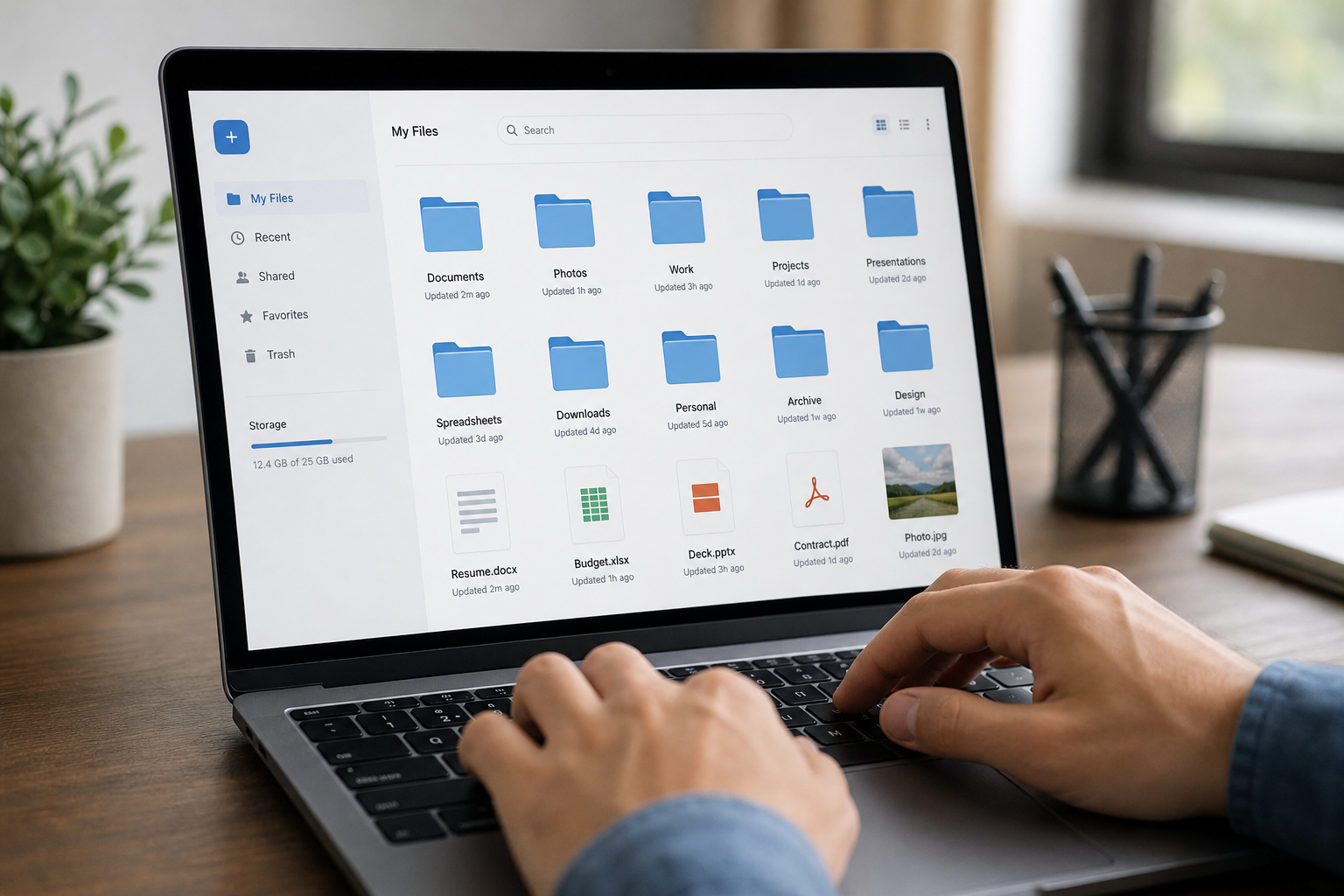
Cloud file storage designed like a server avoids the conflicted-copy problem common with sync folders.
How to Choose Business Software for Professional Services Firms
Selecting a platform is easier when you follow a consistent process rather than comparing feature lists at random. Here is a five-step approach firms can use before signing any contract.
- Map your current tools and data silos. List every app the firm currently pays for, including CRM, file storage, calendar, phone and texting tools, and note where client data lives in each one before making any changes.
- List must-have features for your practice type. Write down the specific features your firm cannot operate without, such as case tracking for a law firm or engagement billing for an accounting practice, before comparing vendors.
- Check whether apps share one login and one client record. Confirm that the CRM, file storage and calendar modules reference the same underlying client record rather than requiring manual syncing between systems.
- Confirm the platform fits firms without dedicated IT staff. Ask whether setup requires a consultant or administrator, and favor vendors that specifically support small firms managed part-time by the owner.
- Run a pilot before a firm-wide rollout. Move one department onto the new platform first, measure how much time staff save on data entry, and resolve issues before migrating everyone.
Comparing Software Needs by Practice Type
While the core categories, CRM, files and calendar, stay the same across professional services, the priority features shift depending on the practice. The table below summarizes what matters most for a few common firm types.
| Firm Type | Top Priority | Learn More |
|---|---|---|
| Law firms | Case and opposing counsel tracking | Law firm CRM guide |
| Accounting firms | Engagement and deadline tracking | Accounting firm CRM guide |
| Consultancies and agencies without IT staff | Simple setup, one vendor to call | Software for firms without IT staff |
Where Atlas Fits as an All-in-One Option
Atlas, built and operated by Hyperion Works, a Tempe, Arizona technology company that has run IT, phones, email and file systems for small and mid-sized businesses since 2011, was designed specifically to address this sprawl. Every Atlas app shares one sign-on through Atlas IAM, so there are no separate credentials to manage or reset. Calendar events link directly to CRM records, and files from AtlasFS, the platform's cloud file storage, attach directly to calendar events, giving a firm one source of truth instead of five partial ones.
Today Atlas covers file storage, CRM and calendar, with phones, SMS, email, AI document management and a full office suite planned. For a fuller comparison of all-in-one options available to a small professional services firm, see this guide to all-in-one business software for small professional services firms, or visit atlascore.app directly and browse the Atlas learning center for setup details.

Connected scheduling tools help professional services firms avoid double-booked client meetings.
Frequently Asked Questions
What is business software for professional services firms?
Business software for professional services firms is a connected set of cloud applications, usually covering CRM, file storage, calendar and communications, that replaces separate standalone tools. It gives a firm one login and one shared client record instead of several disconnected systems.
Why do law firms, accounting firms and consultancies need different software than retail businesses?
Professional services firms sell expertise and time, so they need software built around client matters, case or engagement history, and appointment-based scheduling rather than inventory or point-of-sale features.
How much does business software for a small professional services firm typically cost?
Costs vary widely, but many all-in-one platforms for small firms price per user per month, often somewhere between $20 and $100 depending on which apps are included. Buying separate CRM, file storage and phone tools individually is usually more expensive overall.
Can a firm with no IT staff manage an enterprise-grade platform?
Yes, as long as the platform is designed for that situation. Look for one-login identity management and pre-configured apps that do not require a dedicated administrator or outside consultant to set up.
What is the difference between cloud file storage and a sync folder like Dropbox?
Sync folders copy files down to every device and try to reconcile changes, which can cause conflicted copies. True cloud file storage mounts as a network drive, so the file you open and save lives on the server directly, similar to a traditional office file server.
How long does it take to migrate a firm to new business software?
A small firm migrating contacts, files and calendars to a unified platform can typically complete the move in one to four weeks, depending on how much data needs cleaning up first. Running a one-department pilot before a full rollout usually shortens the overall timeline.
What mistakes do firms commonly make when choosing business software?
The most common mistake is buying tools one at a time to solve isolated problems, which recreates the same sprawl a few years later. Firms also underestimate how much staff time is lost switching between disconnected apps.
Is Salesforce or Microsoft Dynamics a good fit for a small professional services firm?
Both are powerful enterprise platforms, but they are usually built for organizations with a dedicated administrator to configure and maintain them. Small firms without that role often prefer a simpler platform that still covers CRM, files and scheduling.
Does business software for professional services firms include phone and text messaging?
Some platforms include phone and SMS natively, while others require a separate add-on or third-party integration. Firms should confirm whether calls and texts will log automatically to the client record or stay disconnected.
How does a unified CRM and calendar help client service?
When calendar events link directly to CRM records, staff can see a client's full history, upcoming appointments and related files in one place instead of checking multiple apps. This reduces missed follow-ups and double-booked meetings.
What size firm benefits most from an all-in-one platform?
Firms with roughly 1 to 500 users tend to see the biggest benefit, since they are large enough to feel the pain of tool sprawl but usually too small to justify hiring a full-time IT or CRM administrator.
Can business software for professional services firms grow with the business?
A good platform adds modules, such as communications or document management, without forcing the firm to switch systems or re-enter client data. This matters more as a firm adds staff or opens new practice areas.
What should a firm back up before switching software providers?
Before migrating, firms should export contact lists, calendar events, and copies of client files and contracts from every current tool. Keeping a dated export protects the firm if any data does not transfer cleanly.
Conclusion
Choosing business software for professional services firms does not have to mean living with five logins and a desktop full of scattered files. In fact, the firms that fix this problem usually do it by prioritizing one login, one shared client record, and a vendor that does not require a dedicated IT hire to keep things running. Start by mapping your current tools, define what your practice type truly needs, and pilot any new platform with one team before a full rollout. Whether you compare enterprise suites, point solutions, or an all-in-one platform like Atlas, the goal stays the same: less time spent managing software, and more time spent serving clients.

