
Best Dropbox Alternative for Business Teams in 2026
A Dropbox alternative for business is usually the first thing a growing company types into Google once sharing files the old way starts slowing everyone down. Dropbox and tools built like it were designed for individuals swapping documents, not for a 60-person accounting firm juggling client records, contracts, and shared projects every single day. As headcount climbs, sync conflicts, storage caps, and disconnected apps quietly eat into billable hours. This guide breaks down why businesses outgrow Dropbox, how leading alternatives such as Zoho WorkDrive stack up, what a true business-grade replacement should include, and how Atlas, built by Hyperion Works, takes a different path by connecting cloud file storage directly to the CRM and calendar tools businesses already depend on.
Finding the right Dropbox alternative for business starts with understanding how teams actually use files day to day.
What Is a Dropbox Alternative for Business?
A Dropbox alternative for business is cloud file storage software designed around the security, administration, and collaboration needs of an organization — not a single user with a laptop. Unlike consumer-grade sync tools, a genuine business alternative provides centralized file control, real-time multi-user access without sync conflicts, and connections into the other systems a company runs on, such as CRM and calendar software.
Most products marketed as "business storage" are really consumer tools with an admin panel bolted on. They still copy files down to every laptop and phone, which means storage fills up fast and a file is only as current as its last successful sync. A true replacement, by contrast, behaves more like a traditional office file server, according to Wikipedia's overview of cloud storage, where data lives centrally and is accessed on demand rather than duplicated everywhere.
Understanding this distinction matters before comparing specific vendors, because it reframes the question. Instead of asking "which tool has the most gigabytes," the better question becomes: does this platform reduce the number of copies, logins, and systems a growing team has to manage?
Why Businesses Outgrow Dropbox: The Real-World Signs
Tool sprawl quietly taxes almost every small professional services firm. Client contacts live in one app, files live in Dropbox plus a few desktop copies, the calendar sits in Google or Outlook, and the phone system comes from an entirely different vendor. Each decision made sense on its own, yet together they create separate logins, separate bills, and separate support numbers that never talk to one another.
As a result, staff spend real time copying data between systems by hand. For example, research cited by IDC suggests knowledge workers can lose close to a fifth of their workweek simply searching for information scattered across disconnected tools. In addition, a client call that never reaches the CRM, or a file two people overwrite at once, creates friction that compounds over months and years.
Specifically, the warning signs tend to look like this:
- Storage limits force constant cleanup instead of focusing on client work.
- "Conflicted copy" files appear whenever two people edit the same document.
- No native connection between files, contacts, and scheduled appointments.
- Admin controls feel bolted on rather than built for a growing team from day one.
Dropbox vs. Zoho WorkDrive vs. Atlas: Comparing Business Cloud Storage Platforms
Dropbox, Google Drive, and OneDrive remain the most familiar names, and each offers a business tier with higher storage caps and basic admin controls. Meanwhile, Zoho WorkDrive has positioned itself as a dedicated Dropbox alternative for business, emphasizing team folders, a recycle bin with ransomware recovery, and tighter integration across Zoho's own office suite. That is a meaningful step up from plain Dropbox, and it is worth acknowledging.
However, Zoho WorkDrive still asks a business to adopt the broader Zoho ecosystem to get full value — its CRM, its calendar, and its office apps are separate products that need separate configuration, even under one umbrella brand. Atlas takes a different approach: one login across AtlasFS file storage, CRM, and calendar from the start, so files attach directly to client records and appointments without a separate integration project.
| Capability | Dropbox Business | Zoho WorkDrive | Atlas (AtlasFS) |
|---|---|---|---|
| File access model | Local sync, device copies | Local sync, team folders | Server-style via SMB, no forced copies |
| CRM integration | Third-party add-ons only | Requires separate Zoho CRM setup | Native, same login as storage |
| Calendar integration | Not native | Requires Zoho Calendar | Native, files attach to events |
| Conflicted copy files | Common | Reduced, still sync-based | Avoided by design |
| Built for teams without IT staff | Partially | Partially | Yes, 1 to 500 users |
For a deeper breakdown of how a server-style drive compares with traditional sync tools, the complete SMB cloud file share setup guide walks through the technical side step by step.
The Hidden Costs of Tool Sprawl
Large companies solve fragmentation by hiring consultants to stitch enterprise suites together. Small businesses, however, usually just live with it, and the owner often ends up acting as the company's unpaid IT administrator. As a result, the real cost of a scattered stack is rarely the monthly subscription fee itself; it is the time spent reconciling data and the mistakes that slip through the cracks.
Similarly, every additional vendor adds one more support line to call when something breaks. Therefore, before comparing storage limits or pricing tiers, it helps to ask whether a new platform reduces the number of logins and vendors a team depends on, rather than simply adding one more subscription to the pile.
Consequently, when evaluating any Dropbox alternative for business — including Zoho WorkDrive — it is worth totaling up every tool a client file currently touches: storage, CRM, calendar, e-signature, and phone. Consolidation often saves more than a cheaper per-gigabyte rate ever will.
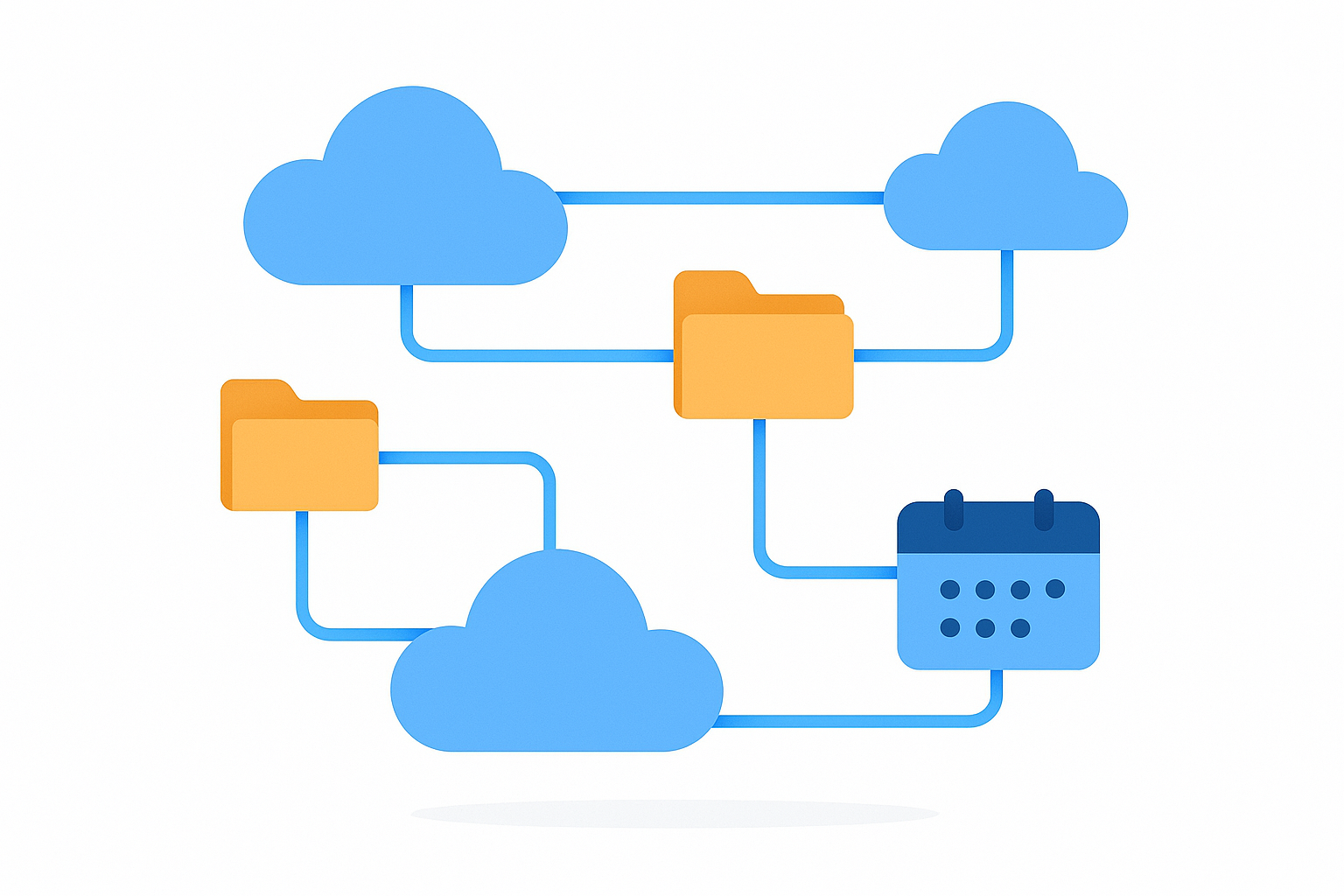
Connecting file storage, CRM, and calendar under one login removes much of the friction a Dropbox alternative for business needs to solve.
Security, Compliance, and Ransomware Recovery
Security is often the deciding factor once a business starts comparing cloud storage solutions seriously. A strong Dropbox alternative for business should offer centralized access controls, encryption in transit and at rest, detailed audit logs of who opened or changed a file, and granular, client-level permissions rather than one blanket setting for everyone.
Ransomware recovery deserves special attention. Because sync-based tools replicate files across every device, a single infected laptop can push encrypted or corrupted files out to the entire team before anyone notices. Server-style platforms limit that blast radius since files are not copied everywhere by default, and version history allows a quick rollback to a clean state. For broader guidance on hardening a business against ransomware, the CISA ransomware guidance and the NIST Cybersecurity Framework are useful independent references worth reviewing alongside any vendor's own claims.
In particular, businesses in regulated industries — law, accounting, healthcare adjacent services — should confirm that any storage platform supports data residency requirements and keeps an exportable audit trail, since compliance obligations rarely disappear just because files moved to the cloud.
How Atlas Works as a Cloud File Server Replacement
Atlas File Storage, known as AtlasFS, is a real cloud file server rather than another sync folder. Services like Dropbox, Google Drive, OneDrive, and even Zoho WorkDrive largely work by copying files down to every computer and trying to keep each copy up to date — which is exactly what causes "conflicted copy" files when two people edit the same document at once.
AtlasFS instead mounts directly as a network drive on Windows, a volume on macOS, and a mount point on Linux, using the standard SMB protocol, a well-established method computers use to access files on a remote server. Files live on the server itself. When a file is opened, it opens directly from that server, and when it is saved, it saves there too, without creating duplicate local copies that drift out of sync.
Because of that, teams get a familiar "shared drive" experience without buying or maintaining physical server hardware. Anyone who has used an office file server before will find the behavior immediately recognizable, just hosted in the cloud instead of a closet.
Real-Time Collaboration Without Conflicted Copies
Collaboration features are where many Dropbox alternatives for business compete hardest. Team folders, in-line comments, shared link permissions, and file version history are now fairly standard across Dropbox, Zoho WorkDrive, and most serious competitors.
However, the underlying architecture still determines whether collaboration actually feels smooth. Sync-based tools can offer all those features and still produce conflicted copies the moment two people edit offline at once. Server-style access avoids the conflict at the root, because there is only one live copy of the file to begin with. That difference becomes obvious the first time a five-person team edits the same client proposal during a deadline crunch.
Moreover, when file storage already shares a login with CRM and calendar data, a document attached to a client record stays attached — no separate upload step, no broken link after a rename, no second system to keep in sync by hand.
How to Switch From Dropbox to a Business Cloud Storage Platform
Switching file storage systems can feel risky, but a structured process keeps the transition smooth. Above all, moving in planned stages prevents lost files and confused staff.
- Audit current file locations. List every place company files currently live, including Dropbox folders, desktop copies, and email attachments, so nothing gets missed during the move.
- Design a clean folder and permission structure. Build clear department and client-level access rules before moving a single file, rather than copying the old messy structure into the new tool.
- Run a parallel transfer period. Move files in batches while keeping the old platform active briefly, allowing staff to adjust without losing access mid-project.
- Map the new drive on every device. Connect the new platform as a network drive on each employee's Windows, macOS, or Linux computer using the provided SMB connection details.
- Decommission the old tool. Once every team member confirms access and file accuracy on the new platform, cancel the old subscription and archive a final export for records.
Most small to mid-sized businesses complete this entire process within a few days to two weeks, depending on data volume. In the meantime, teams migrating from a Google-based stack instead of Dropbox may find the Google Drive alternative for business guide more directly relevant to their situation.
Who Should Consider a Business Cloud Storage Platform Like Atlas
Atlas is built for professional and service-based businesses with 1 to 500 users — companies that need enterprise-grade software but do not have a dedicated IT department, a Salesforce administrator, or a Microsoft 365 specialist on staff. Accordingly, firms such as law offices, accounting practices, consultancies, and agencies tend to feel Dropbox's limitations first, since they juggle heavy client file volume alongside contact and scheduling data every day.
For these teams, a platform that reduces five logins down to one, as described on the Atlas website, often matters more than squeezing out a slightly lower per-gigabyte storage price. Businesses still weighing whether to replace an entire office suite rather than just storage should also read what software can replace Microsoft 365 or Google Workspace for a small business before committing to any single vendor.

A business cloud storage platform should feel as familiar as a traditional office drive, just hosted in the cloud.
Dropbox Alternative for Business Pricing: What to Expect
Pricing varies widely across providers and user counts, typically ranging from a few dollars to around twenty dollars per user per month. Dropbox Business plans scale by storage tier, Zoho WorkDrive scales by team size and feature level, and Atlas groups pricing into three straightforward tiers:
- Starter: entry-level access for small teams testing AtlasFS alongside basic CRM and calendar features.
- Team: full server-style storage with CRM and calendar integration for growing departments.
- Business: advanced administration, higher storage, and priority support for organizations approaching 500 users.
Businesses should also factor in the hidden cost of maintaining separate CRM, calendar, and phone subscriptions alongside storage. A slightly higher per-user fee that eliminates three other tools is almost always the cheaper option once total spend is added up honestly.
Mobile Access and Cross-Platform Support
Cross-platform support is standard for business-grade cloud storage built on the SMB protocol. Files can typically be mounted as a drive on Windows, a volume on macOS, and a mount point on Linux, with mobile apps covering quick review and upload on the go.
In contrast to consumer sync clients that constantly push notifications about storage limits, a server-style platform treats mobile access as a window into one central set of files rather than another local copy to manage. That distinction matters most for field staff and client-facing teams who need the latest version instantly, not whatever synced last night.
Direct answer: The best Dropbox alternative for business is a platform that replaces sync-and-share copying with real server-style file access and connects storage natively to CRM and calendar data, rather than treating file storage as an isolated app.
Frequently Asked Questions About Dropbox Alternative for Business
What is a Dropbox alternative for business?
A Dropbox alternative for business is cloud file storage software built for organizations rather than individuals, offering centralized administration, real-time multi-user access, and integration with other business tools like CRM and calendar systems.
How is Atlas different from Dropbox Business and Zoho WorkDrive?
Atlas mounts as a real network drive using the SMB protocol so files are edited directly on the server, while Dropbox and Zoho WorkDrive sync copies to every device. Atlas also shares one login across CRM and calendar tools, whereas Zoho requires configuring separate Zoho apps to get the same result.
How much does a business cloud storage platform typically cost?
Pricing varies by provider and user count, typically ranging from a few dollars to around twenty dollars per user per month. Businesses should also factor in the hidden cost of maintaining separate CRM, calendar, and phone subscriptions alongside storage.
How long does it take to migrate files from Dropbox to a new platform?
Migration time depends on data volume, but most small to mid-sized businesses complete a full transfer within a few days to two weeks. Running both systems in parallel during the transition reduces downtime and data loss risk.
Is a Dropbox alternative for business more secure than Dropbox?
Security depends on the specific platform, but business-grade alternatives generally offer stronger centralized access controls because files never fully leave the server. This reduces the number of unmanaged local copies compared with sync-based tools.
What is the SMB protocol and why does it matter for cloud file storage?
Server Message Block, or SMB, is a network file-sharing protocol that lets computers access files on a remote server as if they were local. It matters because it allows a cloud file platform to mount as a true network drive instead of relying on constant syncing.
Can a Dropbox alternative integrate with CRM and calendar tools?
Yes, some platforms are built to connect file storage directly to CRM and calendar records under one login. Atlas, for example, lets files attach straight to calendar events and client records without manual uploads.
Does Zoho WorkDrive's ransomware recovery make it the safer choice?
Ransomware recovery features like recycle bins and version history are valuable, but they address symptoms after an incident. Server-style platforms that limit how many devices hold a full local copy reduce how far an infection can spread in the first place, which is a meaningful difference worth weighing alongside recovery tools.
What mistakes do businesses make when choosing a new file storage system?
A common mistake is picking a tool based only on storage price while ignoring integration, support, and administration needs. Another is migrating without a clear folder and permission structure, which simply recreates the old clutter in a new system.
Do small businesses without IT staff need a dedicated file server?
Small businesses benefit from server-style file management even without in-house IT, since it centralizes files and reduces version conflicts. Cloud-hosted options remove the need to buy or maintain physical server hardware.
What happens to conflicted copy files and how can they be avoided?
Conflicted copies occur when sync-based tools try to reconcile two people editing the same file at once, creating duplicate versions. Platforms that open files directly from the server, rather than syncing local copies, avoid this problem entirely.
Is Google Drive or OneDrive a good Dropbox alternative for business?
Google Drive and OneDrive both offer business tiers and wider storage limits than Dropbox, but they still rely on the same local-sync model. Businesses that want a traditional network-drive experience with built-in CRM and calendar connections often need a different approach.
How many users can a business cloud storage platform support?
This depends on the provider, but platforms built for small and mid-sized companies typically scale from a single user up to several hundred. Atlas, for instance, is designed for organizations with 1 to 500 users.
Can I access business cloud file storage from Mac, Windows, and Linux?
Yes, cross-platform support is standard for business-grade cloud storage using the SMB protocol. Files can typically be mounted as a drive on Windows, a volume on macOS, and a mount point on Linux.
Final Thoughts
Choosing a Dropbox alternative for business ultimately comes down to whether a platform reduces complexity or simply adds another subscription to an already crowded stack. In particular, tools that keep files, client records, and schedules connected under one login save far more time than a few extra gigabytes of storage ever will. Businesses evaluating their options can review how AtlasFS, CRM, and calendar tools work together directly at atlascore.app, browse more setup resources in the Atlas Learn resource center, and compare that approach against piecing together separate file, contact, and scheduling apps on their own. As a final step, any firm outgrowing Dropbox — or weighing it against Zoho WorkDrive — should judge not just storage limits but how much staff time a truly connected platform can give back.

