
SMB Cloud File Share: The Complete 2026 Setup Guide
An SMB cloud file share replaces the overflowing Dropbox folder, the laptop full of duplicate files, and the aging office server with one cloud-hosted network drive that works exactly like the shared drive your team already understands. For small and mid-sized businesses weighing on-premises file servers against cloud alternatives, this guide answers every real question: what an SMB cloud file share is, how it compares to on-premises file sharing, what it actually costs, how secure it is for client data, and the exact steps to set one up without losing a single document along the way.
In many small offices, files live in three or four places at once. As a result, two employees save over each other's work, a laptop quietly fills with synced copies, and nobody is entirely sure which version is current. An SMB cloud file share fixes that at the root by keeping a single copy of every file on the server, visible to everyone, updated the instant it changes.
What Is an SMB Cloud File Share?
An SMB cloud file share is a network drive hosted in the cloud that uses the SMB (Server Message Block) protocol, the same file-sharing language Windows, macOS, and Linux have used for in-office servers for decades. Instead of syncing copies to every device, files stay on the server and open directly, so everyone always works from the current version.
Specifically, this differs from consumer sync tools in one critical way. Services like Dropbox, Google Drive, and OneDrive download a copy of each file to your hard drive and then try to reconcile changes afterward. That is exactly why "conflicted copy" files appear when two people edit a document at the same time. A true SMB-based cloud file share avoids that entirely, because the file itself never truly leaves the server.
Atlas, the cloud business platform from Hyperion Works, applies this exact approach through its AtlasFS file storage platform. Rather than acting as another sync folder, AtlasFS mounts as a real network drive on Windows, a volume on macOS, and a mount point on Linux, using the standard SMB protocol businesses already understand.
An SMB cloud file share connects every employee to one shared, always-current drive.
On-Premises File Sharing vs. SMB Cloud File Share: Which One Actually Wins?
Before comparing cloud file sharing to consumer sync apps, it is worth settling the older question first: on-premises servers versus the cloud. On-premises file sharing keeps a physical server in your office, connected to a local network, often reached remotely through a VPN. It gives a business full physical control over its hardware. However, that control comes with a cost most small teams underestimate.
An on-premises server needs someone to patch its operating system, monitor its disks, replace failing drives, and manage a backup routine that actually gets tested. In contrast, an SMB cloud file share shifts every one of those responsibilities to the provider, while still delivering the same drive-letter experience employees already know.
| Factor | On-Premises File Server | SMB Cloud File Share |
|---|---|---|
| Upfront cost | Hardware purchase, often $3,000+ | None, subscription-based |
| Remote access | Usually requires a VPN | Native, no VPN needed |
| Patching and updates | Manual, owner's responsibility | Handled by the provider |
| Disaster recovery | Requires separate backup hardware | Built into the service |
| Scalability | New hardware to add capacity | Upgrade a plan in minutes |
Some businesses still choose a hybrid approach, keeping a light local cache for specialized legacy software while running day-to-day file sharing through the cloud. That said, for most professional service firms, the pure SMB cloud file share wins on cost, maintenance, and remote access, without sacrificing the familiar drive-mapped experience. For a deeper look at how mapped drives function without a local server, see this complete mapped network drive setup guide.
How Does SMB Cloud File Sharing Actually Work?
Cloud file sharing for SMBs works by hosting a central file repository on provider-managed servers, then exposing it to each device through the familiar SMB protocol. When an employee opens a file, the device requests it directly from the server rather than pulling down a full local copy.
Consequently, when that file is saved, the change writes back to the server immediately and becomes visible to every other connected user. This mirrors the locking and access behavior that traditional office file servers have offered for years, just delivered over the internet instead of a local office network.
Why Small Businesses Are Ditching Sync Folders for Cloud File Servers
Tool sprawl is a quiet tax on small businesses. According to the U.S. Small Business Administration's Office of Advocacy, small firms make up more than 99 percent of all U.S. businesses, and most of them run without a dedicated IT department. As a result, every disconnected tool becomes one more thing the owner has to personally manage.
In contrast, a cloud file server consolidates file storage into a single, centrally managed location. For example, a bookkeeping firm that previously stored client files across three laptops and a shared Dropbox folder can instead give every employee one mapped drive, with permissions controlled from a single admin panel. Above all, this reduces the time staff spend hunting for the "real" version of a document. For a broader explanation of why syncing causes these headaches in the first place, see this full guide to cloud file storage without syncing.
Similarly, cloud file servers remove the hardware burden entirely. There is no server to patch, no backup drive to swap, and no cooling fan to worry about failing over a long weekend. Therefore, the business gets enterprise-style file management without needing an in-house systems administrator.
SMB Cloud File Share vs. Dropbox, Google Drive, and OneDrive
It helps to separate two categories that often get lumped together. Consumer sync tools are built for personal use and small teams that mostly share individual files. SMB cloud file sharing, on the other hand, is built to replicate a full office file server for an entire company.
| Feature | Sync Tools (Dropbox, Drive, OneDrive) | SMB Cloud File Share |
|---|---|---|
| File location on open | Local copy on device | Lives on the server |
| Version conflicts | Common with shared editing | Rare, due to file locking |
| Local storage used | High (full copies stored) | Minimal (streamed on demand) |
| Protocol | Proprietary sync engine | Standard SMB (CIFS) |
In short, sync tools are convenient for personal file backup, but they were never designed to behave like a shared company drive. For businesses that need an actual shared workspace, platforms such as Atlas offer AtlasFS as a dedicated SMB cloud file share, built specifically to replace that gap. If Dropbox has simply become too limiting, this comparison of the best Dropbox alternative for business teams in 2026 breaks down the options further.
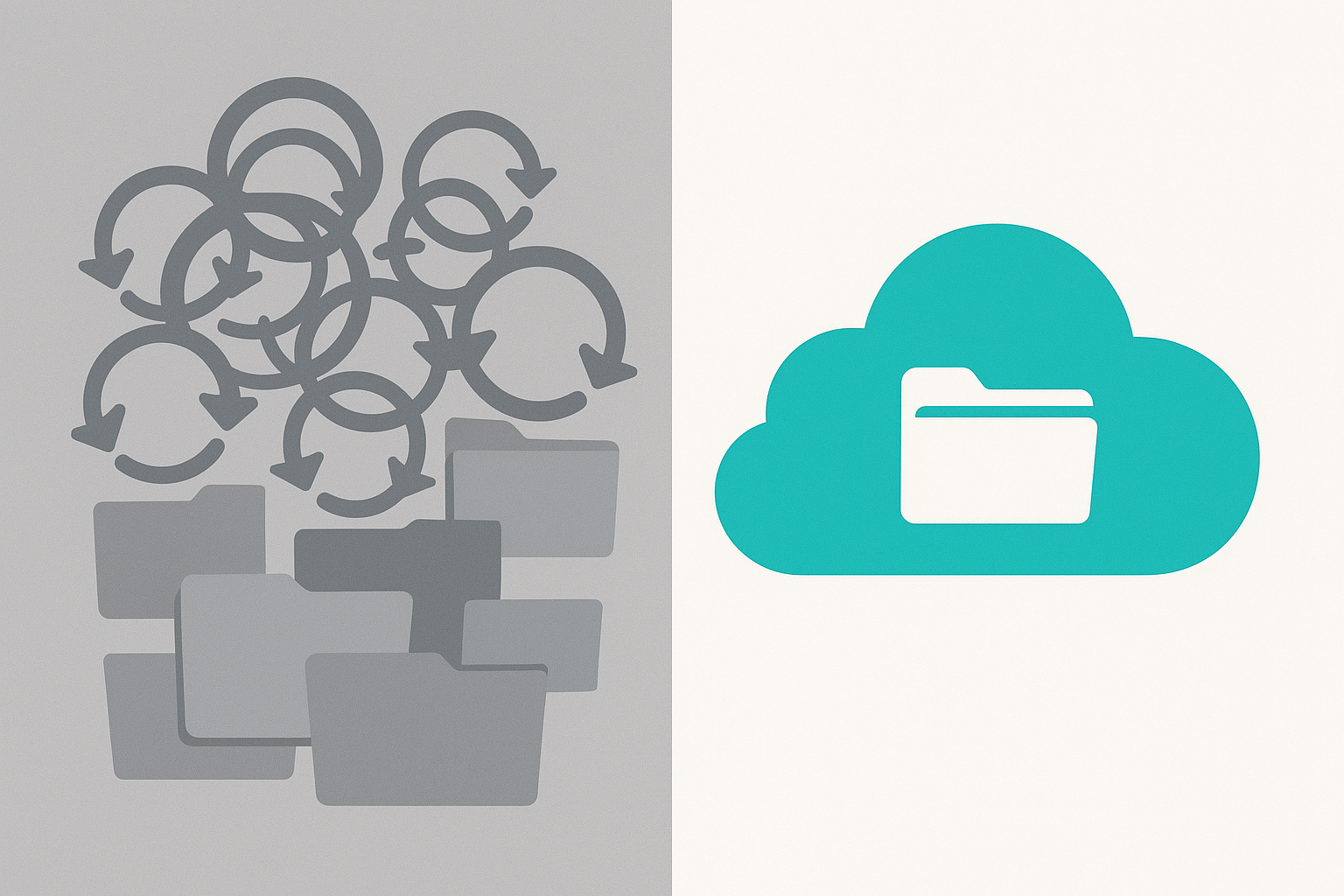
Sync folders scatter files across devices; a cloud-based file share keeps one organized source of truth.
Security and Compliance: Is an SMB Cloud File Share Safe for Client Data?
Security is usually the first objection small business owners raise, and it deserves a direct answer rather than a vague reassurance. A properly configured SMB cloud file share is typically more secure than an unmanaged on-premises server, simply because the provider dedicates full-time resources to the problem that a small business owner cannot.
Furthermore, security guidance from the Cybersecurity and Infrastructure Security Agency consistently recommends centralized access control and encrypted connections for any business handling client data remotely, both of which are standard features on a properly configured cloud file share. Likewise, the NIST Cybersecurity Framework treats access control and data encryption as baseline expectations, not optional extras, for any business storing sensitive information.
Ransomware Protection and Encryption Standards
Ransomware remains one of the top reasons small businesses lose access to their files entirely. In particular, a single infected laptop can encrypt not just local files but every synced folder it touches. An SMB cloud file share reduces that exposure because files are not fully duplicated on every endpoint; the server, not the laptop, remains the authoritative copy. In addition, most providers maintain version history, so a ransomware event can often be reversed by rolling files back to a clean version rather than paying a ransom.
Specifically, look for encryption in transit (data protected while traveling over the internet) and encryption at rest (data protected while stored on the provider's servers). Businesses in regulated industries should also confirm HIPAA-aligned safeguards directly with their provider; the U.S. Department of Health and Human Services HIPAA guidance outlines the baseline expectations for healthcare-adjacent file storage.
Active Directory and Identity Integration
Most established providers support Active Directory or a comparable identity system, meaning administrators manage logins and folder permissions from one place rather than configuring each device individually. This matters because it mirrors exactly how on-premises file servers have handled identity for years, so the transition feels familiar instead of disruptive. Consequently, onboarding a new hire or revoking access for a departing employee takes minutes rather than a multi-step hardware process.
Cost Comparison: Cloud File Server vs. On-Premises Hardware
Numbers make this decision concrete. An entry-level on-premises server typically costs between $3,000 and $8,000 in hardware alone, before accounting for a UPS battery backup, offsite backup storage, and ongoing managed-service support that often runs $100 to $300 per month. That hardware also needs replacing roughly every four to five years.
By comparison, an SMB cloud file share typically runs $5 to $15 per user per month, with no hardware purchase, no replacement cycle, and backups included in the subscription. For a ten-person team over three years, on-premises costs commonly land between $12,000 and $20,000 once support and backup hardware are included. The equivalent cloud file share for the same team typically totals $1,800 to $5,400 over the same period, scaling directly with headcount rather than requiring a hardware upgrade.
Above all, the cloud model converts a large, unpredictable capital expense into a small, predictable operating expense, which is exactly the trade-off most small businesses without a finance department prefer.
Step-by-Step: How to Set Up Your SMB Cloud File Share
Moving to a shared cloud file server does not have to be disruptive. Below is the general process most small businesses follow, whether they are migrating from Dropbox, an on-premises server, or scattered desktop folders.
- Audit your existing file storage. List every location your files currently live, including Dropbox, Google Drive, OneDrive, desktop folders, and email attachments, so nothing gets lost during migration.
- Choose a cloud file share provider. Evaluate providers based on SMB protocol support, per-user pricing, storage limits, security certifications, and whether they integrate with other tools your business already uses daily.
- Create user accounts and identity settings. Set up one login per employee under a shared identity system, then assign folder-level permissions based on each person's role and department.
- Migrate and reorganize existing files. Transfer files from legacy storage into a clean, department-based folder structure, removing duplicate copies and outdated documents along the way.
- Mount the network drive on every device. Connect each employee's Windows, macOS, or Linux device to the new cloud file share using the SMB protocol so it appears as a standard network drive. This mapped network drive setup guide walks through this step in detail.
- Train staff and retire redundant tools. Walk the team through the new drive location, confirm backups and version history are active, then cancel overlapping subscriptions like old sync-folder services.
For businesses that want this process handled as part of a broader platform, atlascore.app bundles file storage alongside CRM and calendar tools under a single login, which simplifies steps two and three considerably.
Key Benefits of a Cloud-Based File Share for Small and Mid-Sized Businesses
A cloud-based file share offers more than convenience. In particular, it changes how a small team operates day to day.
- No conflicted copies: Because files open directly from the server, two people cannot accidentally save over the same document at once.
- Lower hardware costs: There is no physical server to buy, cool, or replace every few years.
- Centralized permissions: Administrators control who sees which folder from one dashboard instead of managing access per device.
- Access from anywhere: Remote and hybrid staff connect the same way they would in the office, over a secure internet connection, without a VPN.
- Simplified IT: One vendor handles storage, backups, and uptime, which matters most for businesses without a dedicated IT staff.
Which Industries Benefit Most from an SMB Cloud File Share?
While nearly any small business benefits from centralized file access, a few industries feel the difference immediately, specifically because of how document-heavy and compliance-sensitive their daily work tends to be.
- Law firms: Case files and client documents require strict folder-level access control, which an SMB cloud file share handles natively through role-based permissions.
- Accounting and bookkeeping firms: Seasonal staffing spikes make it easy to onboard temporary workers with scoped access, then revoke it the moment tax season ends.
- Healthcare administrative offices: Encryption and access logging support the kind of safeguards referenced in HIPAA guidance, without the cost of maintaining in-house servers.
- Real estate and property management: Agents working from multiple sites need the same current lease and contract files, regardless of which office they log in from.
- Architecture and engineering firms: Large design files benefit from server-side locking, which prevents two team members from overwriting the same drawing revision.
Common Mistakes When Choosing an SMB File Sharing Solution
Even a good SMB file sharing solution can underperform if it is set up carelessly. The most frequent mistake is skipping the folder cleanup step and migrating years of duplicate files directly into the new system, which just moves the clutter rather than solving it.
Another common issue is leaving default permissions in place for every user. Consequently, junior staff sometimes gain access to sensitive financial or client folders they never needed to see. In addition, businesses often forget to decommission old sync tools after migration, which means they keep paying for storage subscriptions they no longer use.
Finally, skipping staff training is a costly shortcut. Without a short walkthrough, employees often default to saving files locally out of habit, which quietly recreates the exact fragmentation the new system was meant to fix.
A clear setup checklist helps small teams avoid common cloud file share migration mistakes.
Frequently Asked Questions About SMB Cloud File Share
What is the difference between an SMB cloud file share and cloud storage like Dropbox?
A cloud file share mounts as a real network drive and opens files directly from the server, while sync tools like Dropbox copy entire files down to every device. As a result, cloud file shares avoid version conflicts and keep every user looking at the same live file.
How does an SMB cloud file share work?
It works by hosting your files on a cloud server that speaks the SMB protocol, the same language traditional office file servers use. Your computer connects to that server over the internet and mounts it as a drive letter, volume, or mount point, just like an in-office server.
Why do small businesses need an SMB cloud file share instead of a local server?
A local server requires hardware, backups, cooling, and someone to patch it, which most small businesses cannot staff. An SMB cloud file share delivers the same shared-drive experience without hardware costs, and it remains accessible from anywhere with an internet connection.
Is an SMB cloud file share better than on-premises file sharing?
For most small and mid-sized businesses, yes, because an SMB cloud file share removes hardware costs, patching, and physical backup management while keeping the same drive-mapping experience staff already know. On-premises file sharing can still make sense for businesses with extremely low-latency requirements or specialized hardware dependencies, but these cases are increasingly rare.
How much does an SMB cloud file share typically cost?
Pricing usually runs per user per month, often alongside other bundled business tools, rather than a large upfront hardware purchase. Costs vary by storage amount, user count, and whether the provider bundles file storage with CRM, calendar, or communication tools.
How long does it take to set up an SMB cloud file share?
A small team can typically be up and running within a day or two once accounts are created and files are migrated. Larger migrations with deep folder structures or large file volumes may take a week or more to fully transfer and verify.
Is an SMB cloud file share secure for sensitive client data?
Reputable providers encrypt data in transit and at rest, and they support role-based permissions so only authorized staff see sensitive folders. Businesses handling regulated client data should still confirm encryption standards and access logging directly with their provider.
Does an SMB cloud file share support Active Directory?
Most established providers support Active Directory or a comparable identity system, allowing administrators to manage logins and folder permissions from one place. This mirrors how on-premises file servers have handled identity for years, so the transition feels familiar rather than disruptive.
Can an SMB cloud file share work with Mac, Windows, and Linux?
Yes, because the SMB protocol is natively supported across all three operating systems. Windows mounts it as a drive letter, macOS mounts it as a volume, and Linux mounts it as a standard mount point.
What does SMB stand for in this context?
SMB has two common meanings here: Server Message Block, the network file-sharing protocol, and small or midsize business, the type of company that typically needs this solution. An SMB cloud file share uses the Server Message Block protocol specifically to serve small and midsize businesses.
What are common mistakes businesses make when switching to an SMB cloud file share?
The most common mistake is migrating files without first cleaning up duplicate folders, which just moves clutter to a new location. Another frequent error is skipping staff training, leaving employees saving files locally out of habit instead of to the shared drive.
What is the best practice for organizing folders on a cloud file share?
Mirror your business structure, using top-level folders by department or client rather than by individual employee. This keeps permissions simple and ensures new hires or departing staff do not disrupt the overall folder logic.
Do employees need special software to access an SMB cloud file share?
No, because SMB support is built into every major operating system already. Employees simply connect once using credentials provided by their IT administrator, and the drive behaves like any other folder on their computer.
Can an SMB cloud file share replace a traditional office server entirely?
For most small and mid-sized businesses, yes, since modern cloud file shares replicate drive mapping, permissions, and file locking without on-site hardware. Businesses with extremely specialized legacy software tied to a physical server may need a hybrid approach during transition.
What happens to files if the internet connection goes down?
Without an internet connection, the mounted drive becomes temporarily unavailable, similar to losing access to any network resource. Many providers offer offline caching for recently used files, though this varies by platform and plan.
Final Thoughts: Is an SMB Cloud File Share Right for Your Business?
Ultimately, an SMB cloud file share solves a problem nearly every small professional services firm shares: too many tools, too many copies, and too much time spent hunting for the right file. By replacing scattered sync folders and aging on-premises servers with one server-based drive, businesses gain file locking, centralized permissions, lower total cost of ownership, and access from any device without owning hardware.
Whether a business migrates on its own or chooses a bundled platform like Atlas, the underlying goal stays the same: one reliable, secure home for every file the company depends on. In the end, a well-configured SMB cloud file share is less about storage and more about giving a small team back the hours it used to lose to tool sprawl, VPN headaches, and hardware upkeep.

