A flexible CRM for small business is customer relationship management software that adapts to how a team already works, instead of forcing staff to reshape their day around rigid, locked-down fields and workflows. For many service-based companies, this distinction matters more than flashy features ever will. Specifically, a flexible CRM for small business lets an owner adjust pipelines, custom fields, and permissions as the company grows, without hiring a consultant or waiting weeks for a developer. In contrast, rigid enterprise platforms often need a dedicated administrator just to make a small change. As a result, flexibility has quietly become one of the top factors owners weigh before signing a software contract.

A small team reviewing how a flexible CRM for small business adapts to their existing client workflow.
What Is a Flexible CRM for Small Business?
In short, a flexible CRM for small business is a system that bends around your process rather than the other way around. Unlike many out-of-the-box platforms, it lets you rename fields, add new ones, and restructure pipelines without a support ticket.
According to Wikipedia's overview of customer relationship management, CRM systems were originally built to manage sales, service, and marketing data in one place. However, early CRM tools were designed for large sales teams with dedicated administrators. Small businesses, by contrast, usually need the same underlying structure with far less overhead, which is exactly where flexibility becomes the deciding factor.
Why Small Businesses Need an Adaptable CRM
Small businesses rarely sell, bill, or serve clients the same way a Fortune 500 company does. Therefore, an adaptable CRM has to track very different information depending on the industry. A law firm needs to track opposing counsel and case status. An accounting firm needs to track filing deadlines and engagement letters. A consultancy needs to track proposal stages that do not look anything like a typical retail sales funnel.
Furthermore, staffing is thinner at small companies, so there is rarely a Salesforce administrator or Microsoft specialist on payroll. Consequently, the CRM itself has to be simple enough for an owner or office manager to adjust directly. If every change requires outside help, the "flexibility" is theoretical rather than practical.
Readers comparing options for a specific practice area may find it useful to review what matters for an accounting firm's CRM needs or for a law firm tracking cases, clients, and opposing counsel, since both illustrate how differently "flexible" can be defined by industry.
Key Features of a Flexible CRM for Small Business
Specifically, a genuinely flexible CRM for small business tends to share a handful of traits. Above all, it should let non-technical staff make changes without support tickets. In addition, it should scale from one user to dozens without forcing a platform switch later.
- Custom fields and record types that match your actual client intake process
- Multiple pipelines for different service lines, not just one generic sales funnel
- Role-based permissions that restrict sensitive client data by team
- Native integrations with calendar and file storage, so data does not need re-entry
- A single login and identity system across every connected app
Similarly, pricing flexibility matters. A CRM that charges per feature module, on top of a per-user fee, can quietly become expensive. For a closer look at pricing structures across the market, see this comparison of affordable CRM options for small business.
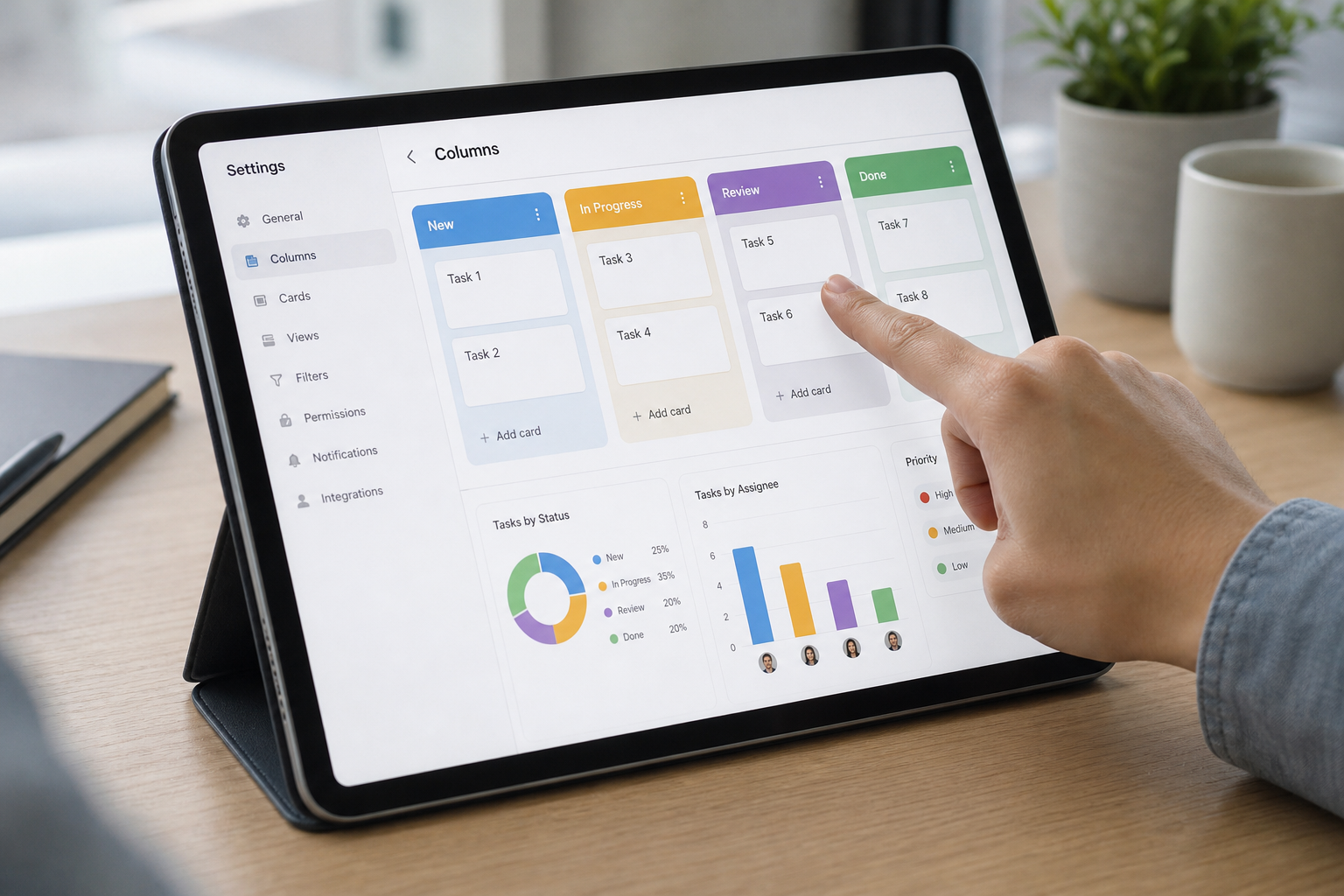
Customizing pipeline stages is one of the clearest signs of a truly flexible CRM for small business.
How to Choose a Customizable CRM Platform
Choosing the right platform takes more than reading a features page. Instead, it helps to follow a short, repeatable process before committing budget and staff time to a migration.
- Map your current workflow gaps. Write down every place your current system forces a workaround, such as missing fields or manual re-entry between apps.
- List your must-have customizations. Identify specific fields, stages, and record types your business needs, then confirm you can add them yourself.
- Test permission and role settings. Create a few test users with different roles to confirm sensitive data can be restricted without developer help.
- Check integrations with existing tools. Connect the CRM to your email, calendar, and file storage during a trial before migrating all client data.
- Pilot with real client records. Run a two to four week pilot with real, non-critical data so your team can surface friction before a full rollout.
For a broader walkthrough of this decision, the guide on how to choose the right CRM covers additional evaluation criteria worth reviewing alongside this process.
Flexible CRM vs. Rigid Enterprise Software
Enterprise platforms like Salesforce and Microsoft Dynamics are undeniably powerful. However, that power usually comes bundled with complexity that small teams never asked for. A 2023 industry report from Grand View Research estimated the global CRM software market at over $63 billion, with continued double-digit annual growth driven largely by small and mid-sized business adoption, not just large enterprise deployments.
| Factor | Flexible Small Business CRM | Rigid Enterprise Platform |
|---|---|---|
| Setup time | Days to two weeks | Months, often with consultants |
| Who makes changes | Owner or office manager | Certified administrator |
| Typical monthly cost | $15 to $100 per user | Often higher, plus implementation fees |
Where Atlas Fits as a Flexible CRM for Small Business
Atlas, built and operated by Hyperion Works, a Tempe, Arizona technology company running small business IT since 2011, was designed specifically to avoid the trade-off between power and simplicity. Rather than treating CRM as a standalone app, Atlas connects it directly to calendar events and file storage under a single login through Atlas IAM, its shared identity layer.
As a result, a custom field added in the CRM, such as a case number or engagement date, becomes visible everywhere else in the platform automatically. In addition, because Atlas is built for teams of one to 500 users without a dedicated IT department, changes to pipelines or permissions happen through settings screens, not support tickets. Readers can explore the Atlas CRM directly, or visit atlascore.app to see how file storage, calendar, and CRM work together under one bill.
Common Mistakes When Evaluating CRM Flexibility
Even experienced owners make predictable mistakes when shopping for software. For instance, many assume a well-known brand name guarantees flexibility, when in reality customization often requires paid add-ons or outside developers. Others skip the trial period entirely, only to discover permission settings are too rigid once real client data is loaded.
Likewise, some businesses underestimate how much time is lost when a CRM does not connect to existing email and file systems. The U.S. Small Business Administration notes that technology adoption is a recurring friction point for small firms, particularly when tools do not talk to each other. Consequently, testing integrations before signing a contract is not optional; it is essential.

Testing a platform's flexibility before signing a contract helps avoid costly CRM switching later.
Frequently Asked Questions About Flexible CRM for Small Business
What is a flexible CRM for small business?
A flexible CRM for small business is a customer relationship management system that lets a company customize fields, pipelines, and permissions to match its own process instead of forcing a rigid, pre-built workflow on the team.
How is a flexible CRM different from a standard CRM?
A standard CRM usually ships with fixed fields and one sales pipeline, while a flexible CRM allows custom fields, multiple pipelines, and adjustable permissions without needing a developer.
Why do small businesses need customizable CRM features?
Small businesses rarely sell the same way an enterprise sells, so customizable fields and stages let even a two-person sales team track what actually matters to their process.
How much does a flexible CRM for small business typically cost?
Pricing commonly ranges from around $15 to $100 per user, per month, depending on how many custom fields, automations, and integrations are included at each tier.
How long does it take to set up a flexible CRM?
A well-designed flexible CRM can often be configured in a few days to about two weeks, since most customization happens through settings menus rather than custom code.
Can a flexible CRM grow with my business as I add staff?
Yes, a genuinely flexible CRM should let you add users, roles, and permission levels as headcount grows without requiring a full platform migration.
What industries benefit most from an adaptable CRM?
Professional and service-based industries such as law firms, accounting practices, consultancies, and agencies benefit most, since their intake and case tracking needs differ widely from a generic sales funnel.
What common mistakes do businesses make when choosing CRM software?
The most common mistake is choosing a CRM based on brand recognition alone, without testing whether its fields, permissions, and integrations actually match daily workflow.
Is a flexible CRM harder to learn than a simple CRM?
Not necessarily; a well-designed flexible CRM hides complexity behind simple settings screens, so staff can use core features right away while admins customize in the background.
Does a flexible CRM integrate with other business tools?
Most flexible CRMs connect to email, calendars, and file storage, and some all-in-one platforms build these connections natively instead of relying on third-party integration apps.
What should I look for in CRM permission settings?
Look for role-based permissions that restrict client financial data, case notes, or contact lists by team, so flexibility does not come at the cost of security.
How does Atlas approach CRM flexibility differently?
Atlas builds CRM into a single platform with calendar and file storage under one login, so a custom field added in one app becomes visible everywhere else automatically.
Final Thoughts
Ultimately, choosing a flexible CRM for small business comes down to one question: can your team make changes without outside help? If the answer is no, the platform is not truly flexible, no matter how many features it advertises. In contrast, a system built around custom fields, adjustable permissions, and native integrations saves time every single week, not just during setup.
Before signing a contract, therefore, it is worth running a short pilot with real client data, checking integrations, and confirming that staff, not just IT specialists, can adjust the system as the business changes. Taking that extra step now prevents a costly switch later.

