Small business operations software is a single platform that brings together the core tools a company runs on each day, such as client records, files, and scheduling, so nothing lives in isolation. Instead of juggling five logins and five bills, a team works from one connected system that keeps everyone on the same page.
Most small businesses did not choose this complexity on purpose. A CRM got added when the sales team grew. Files went to Dropbox because it was free. The calendar lived wherever email already lived. Each decision was reasonable at the time. However, the combined result is a patchwork of apps that rarely talk to each other, and someone at the company ends up acting as an unpaid IT administrator just to keep it all running.

A unified dashboard replaces the patchwork of apps most small businesses rely on today.
What Is Small Business Operations Software?
Small business operations software is a connected platform that handles the day-to-day functions of running a company, typically including contact and client management, file storage, and scheduling, under one login. In contrast to a collection of separate point solutions, these records link together automatically.
For example, a calendar event for a client meeting can pull in that client's contact history and attach relevant files without anyone copying data by hand. As a result, the business has one accurate record instead of several partial ones scattered across different apps.
The Real Cost of Tool Sprawl
According to the U.S. Small Business Administration, small firms make up more than 99 percent of U.S. businesses, and most of them operate without a dedicated technology staff. That gap matters because every added app increases the chance something falls through the cracks.
Specifically, the hidden costs of tool sprawl show up in a few predictable ways:
- Client calls that never get logged because the phone system cannot see the CRM
- File conflicts where two employees overwrite each other's work in a sync folder
- Hours lost each week copying data between disconnected systems
- Contracts and records that are impossible to find months later
Therefore, the true cost of a messy software stack is rarely the monthly subscription fees. It is the staff time, the missed details, and the owner's attention spent babysitting systems instead of running the business. A related breakdown of this problem is covered in this guide to fixing software tool sprawl.
Core Features of Business Management Software to Look For
Not every platform labeled as "all-in-one" delivers real integration. Consequently, it helps to know which features actually reduce daily friction rather than just adding another dashboard.
Look for a single identity layer so employees sign in once instead of managing separate passwords for every tool. In addition, confirm that files behave like a true network drive rather than a sync folder that creates duplicate or conflicted copies, a known issue with consumer tools according to general software as a service architecture discussions.
Furthermore, check whether calendar events, CRM records, and files are genuinely linked, or whether the "integration" is just an import button. Finally, make sure support comes from one vendor who understands the whole system, not a different company for every app. For a deeper look at feature checklists, see this guide on all-in-one business software for small teams.
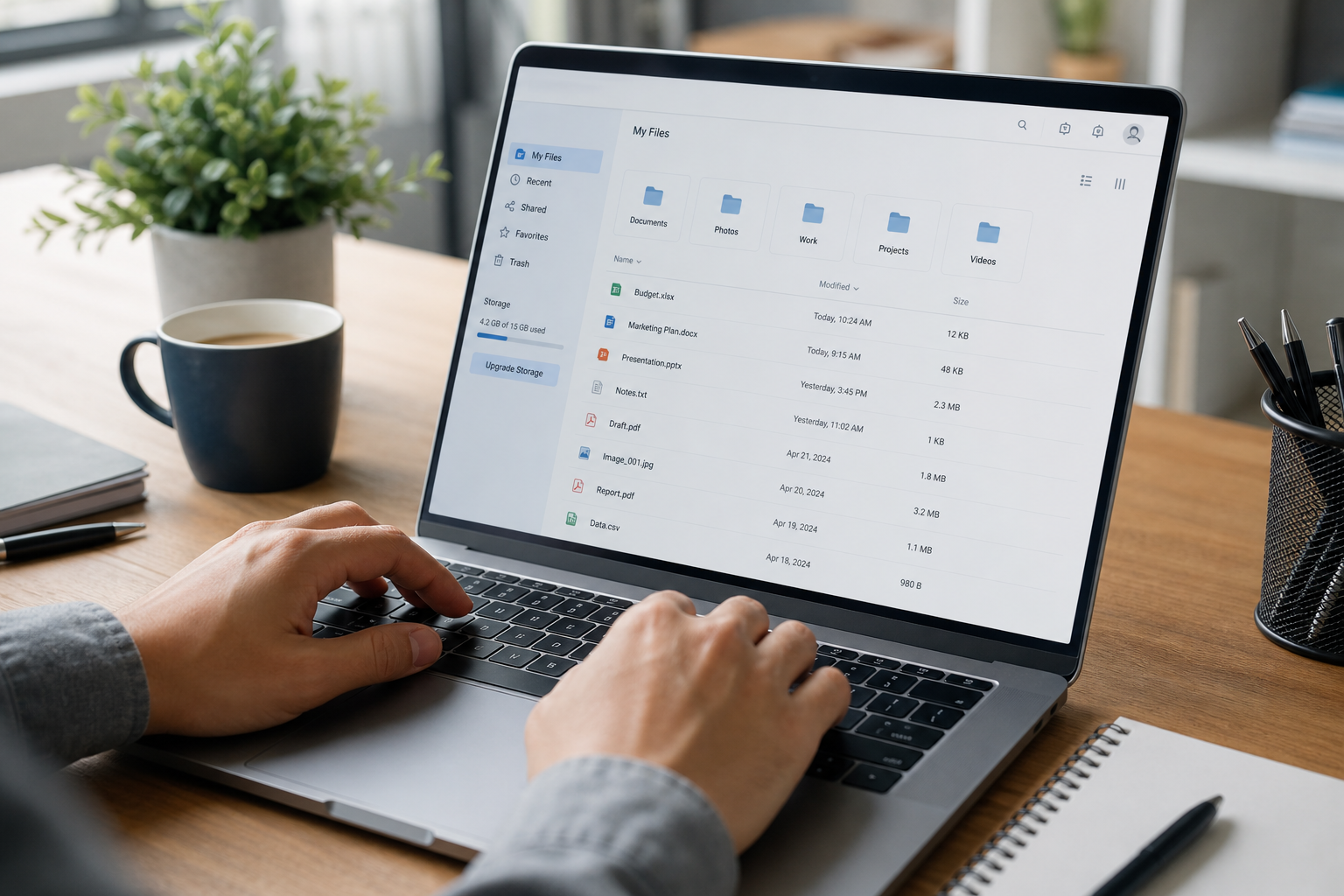
Cloud file storage built like a real network drive avoids the conflicted-copy problems common in sync tools.
How Atlas Approaches Small Business Operations Software
Atlas, built by Hyperion Works, is an example of small business operations software designed around a single identity layer called Atlas IAM. Every app connects natively instead of being bolted together after the fact, so calendar events link to CRM records and files attach directly to appointments.
Today, Atlas includes file storage, CRM, and calendar tools, with phones, SMS, email, AI document management, and a full office suite planned for release. Rather than forcing a trade-off between simplicity and power, Atlas aims to deliver enterprise-grade capability without requiring a dedicated Salesforce administrator or Microsoft 365 specialist on staff. You can review the full platform details directly at atlascore.app.
One standout piece is AtlasFS, the file storage component. Unlike Dropbox, Google Drive, or OneDrive, which copy files down to every device and try to keep each copy current, AtlasFS mounts as a real network drive on Windows, macOS, and Linux using the standard SMB protocol. Files live on the server, so opening and saving a document works directly against the current version instead of a local sync copy.
How to Choose the Right Operations Platform for Your Business
Choosing the right platform is easier with a structured process rather than reacting to whichever tool a vendor pitches first. Below is a practical sequence for evaluating options.
- Map your current tools. List every app used for files, contacts, scheduling, and communication, including informal workarounds like personal texting.
- Calculate the real cost. Add subscription fees plus staff hours lost to manual data entry and troubleshooting each month.
- Test native integration. During a trial, confirm that records actually connect automatically rather than requiring manual exports.
- Check vendor support structure. Make sure one support line can answer questions about every app in the platform.
- Plan a phased migration. Move one data type at a time, starting with files or contacts, so staff can adjust gradually.
Above all, resist the urge to switch everything in a single weekend. A measured rollout reduces disruption and gives staff time to trust the new system before it becomes mission critical. For help estimating a reasonable software budget during this process, see how much a small business should spend on software per employee.
Operations Software vs. Point Solutions: Which Wins?
Point solutions, meaning single-purpose apps like a standalone CRM or a standalone file-sync tool, often win on initial price and simplicity. In contrast, operations software wins on the total cost of ownership once integration, support time, and data accuracy are factored in.
Large enterprises often solve sprawl by hiring consultants to stitch Salesforce, Microsoft Dynamics, and other systems together. Small businesses usually cannot justify that expense, so a unified platform tends to deliver more practical value per dollar. If your team is still comparing CRM-only options, this guide on choosing a simple CRM for small business is a useful starting point before deciding whether a fuller platform makes more sense.
A Quick Comparison
| Factor | Point Solutions | Operations Software |
|---|---|---|
| Logins | One per app | Single sign-on |
| Billing | Multiple invoices | One monthly bill |
| Support | Several vendors | One vendor |
Frequently Asked Questions
What is small business operations software?
Small business operations software is a digital platform that combines the core tools a company runs on, such as CRM, file storage, and calendars, into one connected system. It replaces separate logins and disconnected apps with a single source of truth.
How is operations software different from a CRM alone?
A CRM only manages contacts and sales activity, while operations software connects that CRM data to files, scheduling, and communication. This means a client record, their documents, and their appointments all live in one place instead of three separate apps.
Why do small businesses end up with tool sprawl?
Tool sprawl happens because each software decision made sense on its own at the time it was purchased. Over several years, a company accumulates separate apps for files, contacts, calendars, and phones that were never designed to work together.
How much does small business operations software cost?
Costs vary widely depending on the number of users and features included, but most all-in-one platforms bill per user per month on a single invoice. Comparing that single bill to the combined cost of several separate subscriptions usually reveals meaningful savings.
How long does it take to switch to an all-in-one platform?
A basic migration of contacts, files, and calendars can often be completed within a few weeks for a small team. Larger organizations with more historical data and more complex workflows may need a phased rollout over one to three months.
Can small business operations software replace Dropbox or Google Drive?
Yes, many operations platforms include cloud file storage that mounts as a real network drive instead of a sync folder. This approach avoids the conflicted-copy errors and version confusion common with consumer sync tools.
Does operations software require a dedicated IT administrator?
Platforms built specifically for small businesses are designed so an owner or office manager can configure and run them without specialized certifications. This is different from enterprise suites like Salesforce or Microsoft Dynamics, which typically need a trained administrator.
What is the biggest mistake businesses make when choosing operations software?
The most common mistake is picking tools one at a time to solve an immediate problem without considering how they will connect to everything else. This short-term thinking is exactly how tool sprawl happens in the first place.
Is cloud-based operations software secure for client data?
Reputable cloud platforms use encryption, access controls, and regular backups that often exceed what a small business could maintain on its own servers. Businesses should still confirm specific security practices and compliance standards with any vendor before switching.
How does small business operations software help with client communication?
When calendars, CRM, and eventually phones and email share one platform, every client interaction can be logged automatically against the right record. This removes the gap where a phone call or text never makes it into the official client history.
What size business benefits most from an all-in-one platform?
Companies with roughly 1 to 500 employees tend to see the most benefit, since they need serious functionality but rarely have a dedicated administrator for each individual tool. Very large enterprises often have the staff to manage specialized point solutions instead.
What should be on a checklist before buying operations software?
Buyers should confirm that CRM, files, and calendar data connect natively, that pricing is predictable per user, and that support comes from a single vendor rather than several. It also helps to ask how the platform plans to add future tools like phones or email.
Can I keep using my existing calendar app with new operations software?
Some platforms support calendar syncing with Google or Outlook, but the bigger advantage comes from using a native calendar that links directly to CRM records and files. Businesses should weigh short-term convenience against the long-term benefit of full integration.

Shared, connected records help small teams collaborate without losing track of client details.
Final Thoughts
In summary, small business operations software solves a problem that most companies did not create on purpose but still have to live with every day. Disconnected files, contacts, and calendars quietly cost staff time, create missed details, and turn owners into reluctant IT administrators.
By mapping current tools, calculating the real cost of sprawl, and testing whether a platform truly integrates CRM, files, and scheduling, a business can make a confident choice. Ultimately, the right small business operations software should feel less like another app to manage and more like one less thing to worry about. You can explore how this approach works in practice at atlascore.app/learn or visit atlascore.app directly.

