A CalDAV server for business is the shared infrastructure that keeps every team member's calendar events, meeting invites, and client appointments synced in real time across phones, laptops, and desktop apps. Without one, a small firm typically ends up with calendars scattered between personal Google accounts, Outlook, and whatever app a new hire happened to install. As a result, double-bookings and missed appointments become routine instead of rare mistakes.
For companies that handle client meetings, service calls, or project deadlines, a dependable business calendar server is not a luxury. It is the plumbing that keeps the whole operation on schedule. In this guide, we will look at how CalDAV works, how to set one up, and what to check before committing to a platform.

A synced team calendar, powered by a CalDAV server for business, keeps schedules consistent across every device.
What Is a CalDAV Server for Business?
In short, a CalDAV server for business is a centralized calendar backend built on the open CalDAV protocol, a standard defined by the Internet Engineering Task Force that extends WebDAV so multiple apps can read and write to the same shared calendar. That means Apple Calendar, Thunderbird, and many Outlook configurations can all point at one live schedule instead of each keeping a separate copy.
Specifically, the protocol handles the behind-the-scenes work of event creation, updates, and invitations so changes appear almost instantly on every connected device. According to the official RFC 4791 specification, CalDAV was designed specifically to let clients access scheduling information stored on a remote server, rather than copying it locally and hoping it stays in sync. You can read a broader overview of the protocol's history on Wikipedia's CalDAV entry.
Because the protocol is open, it is not tied to a single vendor. However, how well a given platform implements permissions, uptime, and integrations varies enormously, which is exactly why the choice of provider matters more than the protocol itself.
Why Growing Teams Need a Business Calendar Server
Small professional and service-based firms rarely plan for tool sprawl. Instead, it accumulates one reasonable decision at a time: a free Gmail calendar here, a desktop Outlook install there, a personal phone used for client texts. Eventually, nobody has a complete view of who is meeting whom, and when.
A dedicated business calendar server solves this by giving every employee access to the same shared calendars, with permission levels that control who can view, edit, or just see free and busy times. Consequently, a receptionist can book a client appointment and know immediately whether a technician is actually free, instead of calling around to check.
For a deeper look at how shared scheduling changes day-to-day operations, our complete guide to shared calendars for small business walks through common setup patterns across industries.
CalDAV vs. Consumer Calendar Sync: What's the Difference?
Consumer calendar sync, like a personal Google Calendar account, is designed for one person managing their own schedule. A CalDAV server for business, by contrast, is built for groups of people who need to see and act on shared scheduling data together.
| Capability | Consumer Sync | Business CalDAV Server |
|---|---|---|
| Shared team calendars | Limited or manual | Native, permission-based |
| Admin-level control | None | Centralized management |
| CRM or file integration | Rarely available | Often built in |
| Cross-platform clients | Varies by app | Standardized via CalDAV |
How to Set Up a CalDAV Server for Business
Moving from scattered calendars to one shared system is more about process than technology. Below is a sequence most businesses follow, regardless of which platform they eventually choose.
- Audit current calendar tools. List every calendar in use across the team and note where double-bookings or missed meetings happen most often.
- Choose a CalDAV server for business. Compare managed platforms against self-hosted options, weighing setup time and whether it needs to connect to a CRM or file storage.
- Migrate existing calendars and permissions. Import events into the new shared calendars and set view or edit access by role.
- Connect the calendar to other business systems. Link it to CRM records and file storage so invites and client files stay attached to the right account.
- Train the team on shared calendar etiquette. Cover booking rules and notification settings so the calendar stays accurate rather than cluttered.

Shared, permission-based calendars let teams plan meetings without back-and-forth phone calls.
Key Features of a Reliable Shared Calendar Server
Not every CalDAV server for business is built the same way. In particular, these features separate a merely functional calendar from one that genuinely reduces administrative load:
- Cross-platform support: Works consistently across Windows, macOS, iOS, and Android without separate apps for each.
- Granular permissions: Allows view-only, edit, or free/busy-only access by role, not an all-or-nothing switch.
- Native integration: Links calendar events directly to CRM contacts and attached files, instead of living in isolation.
- Encrypted connections: Protects scheduling data in transit, similar to standards described by the NIST cloud computing glossary.
- Predictable uptime: A documented service-level commitment so client meetings never get lost to downtime.
How Atlas Calendar Works as a CalDAV Server for Business
Atlas Calendar is one of the core apps inside Atlas, the cloud business platform built by Hyperion Works, a Tempe, Arizona technology company that has supported small and mid-sized business IT since 2011. Rather than functioning as a standalone scheduling tool, Atlas Calendar shares the same identity layer, Atlas IAM, as every other Atlas app. Therefore, employees sign in once and immediately see calendar events linked to the correct CRM client record.
For example, when a meeting is booked with a client, files stored in Atlas File Storage can attach directly to that calendar event. As a result, nobody has to hunt through email attachments before a call. This is the same philosophy covered in our comparison of Dropbox alternatives for business teams and our guide to Google Drive alternatives, where connected systems consistently outperform disconnected ones.
You can explore the scheduling features directly on the Atlas Calendar page, or visit atlascore.app to see how calendar, CRM, and file storage fit together under one login and one monthly bill.
Common Mistakes to Avoid When Choosing a CalDAV Server for Business
Even with the right protocol in place, businesses often stumble during rollout. For instance, skipping a calendar audit before migration tends to carry over old bad habits into the new system. Similarly, failing to set permission levels early often leads to accidental edits or deleted appointments.
In addition, some teams underestimate training. A shared calendar only works if everyone follows the same booking conventions. Above all, businesses should avoid choosing a server purely on price without checking whether it integrates with the CRM and file tools they already depend on.
Frequently Asked Questions
What is a CalDAV server for business?
A CalDAV server for business is a centralized backend that uses the open CalDAV protocol to keep shared calendars synced across every employee's devices in real time. It replaces scattered personal calendars with one source of scheduling truth for the whole company.
How does a CalDAV server differ from a regular calendar app?
A regular calendar app typically syncs one person's events to one account, while a CalDAV server hosts shared calendars that multiple apps and users can read and write to at once. This lets different staff members see the same live schedule from different devices.
Why do businesses need a dedicated business calendar server?
Businesses need a dedicated calendar server because double-booked meetings and missed appointments cost real time and money as teams grow. A shared server gives everyone consistent, permission-controlled visibility into availability.
How much does a CalDAV server for business cost?
Costs vary widely, from free self-hosted open-source options that require IT maintenance to managed platforms priced per user per month. Most small businesses find a managed subscription more cost-effective than hiring staff to run their own server.
How long does it take to set up a business calendar server?
A managed CalDAV server for business can often be set up within a few hours to a couple of days, including migrating existing calendars and configuring permissions. Self-hosted deployments usually take longer due to server configuration and ongoing patching.
Can CalDAV sync with Outlook and Apple Calendar?
Yes, CalDAV is an open standard supported natively or through connectors by Apple Calendar, Thunderbird, and many Outlook configurations. This cross-platform support is one reason businesses prefer CalDAV over proprietary sync formats.
What is the difference between CalDAV and CardDAV?
CalDAV syncs calendar events and scheduling data, while CardDAV syncs contact information such as names and phone numbers. Many business platforms support both protocols so calendars and contacts stay consistent together.
Is a CalDAV server secure for business use?
A properly configured CalDAV server for business uses encrypted connections and authenticated access, making it comparable in security to other cloud business applications. Ultimately, security depends on the provider's practices around encryption and access control.
What are common mistakes when migrating to a CalDAV server for business?
Common mistakes include skipping a calendar audit before migration and failing to set clear permission levels in advance. These oversights often recreate the same scheduling chaos the new server was meant to fix.
Can a CalDAV server integrate with CRM software?
Some business calendar platforms link calendar events directly to CRM contact records, so a scheduled meeting automatically appears on a client's history. This native integration is harder to achieve with a standalone, unconnected CalDAV server.
What happens if the CalDAV server goes down?
Reputable managed CalDAV providers offer uptime guarantees and redundant infrastructure, so outages are rare and usually brief. For self-hosted servers, downtime depends entirely on the business's own backup setup.
Do I need dedicated IT staff to manage a CalDAV server for business?
Self-hosted CalDAV servers generally require someone comfortable with server administration and security patching. Managed platforms remove that burden, which is why most small businesses without a dedicated IT department choose a hosted option.
How does Atlas Calendar compare to a standalone CalDAV server?
Atlas Calendar functions as a CalDAV server for business while also linking natively to CRM records and file storage under one login. A standalone CalDAV server handles scheduling alone, leaving teams to connect it manually to other tools.
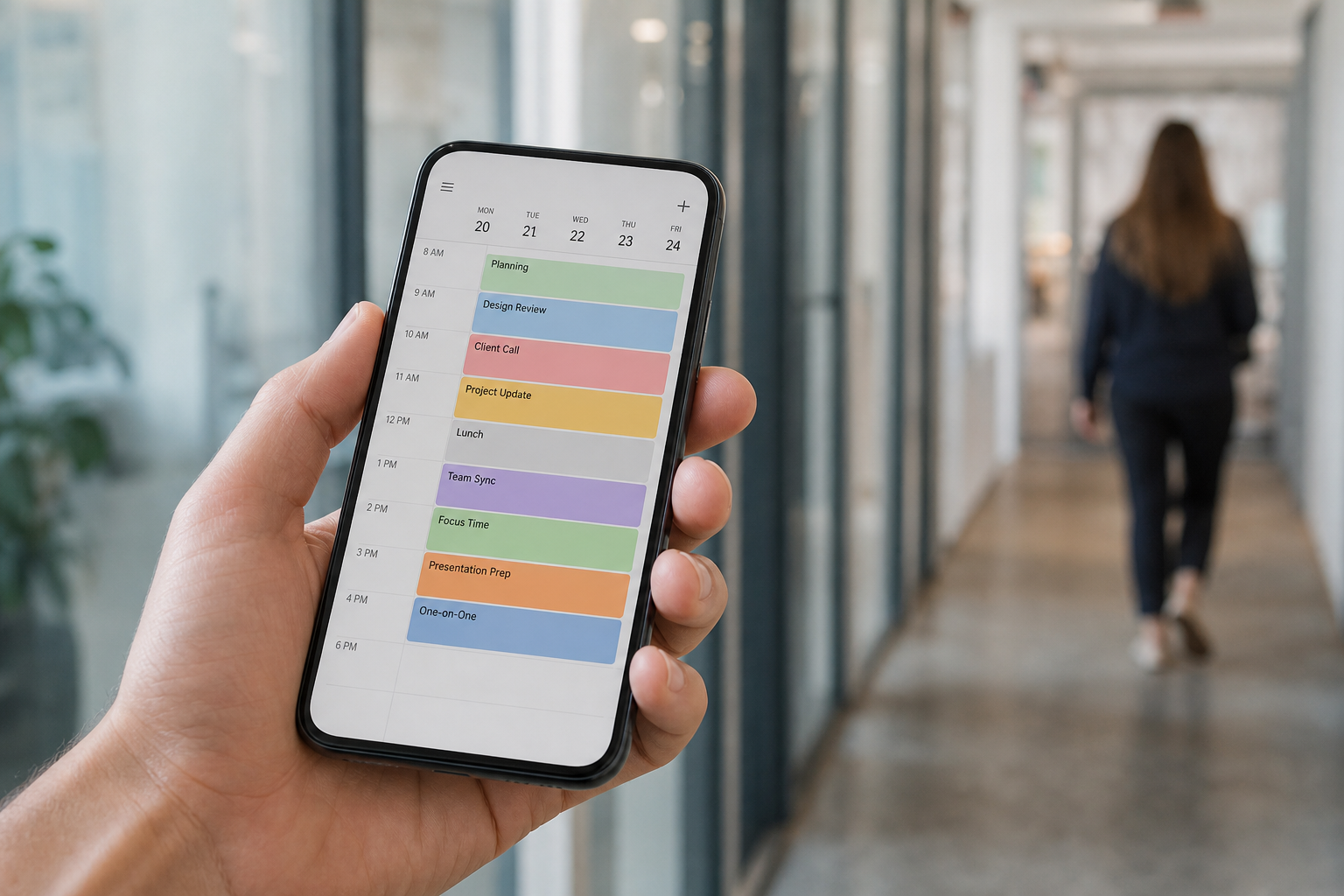
Mobile access to a synced schedule means field staff always see the same calendar as the office.
Final Thoughts on Choosing a CalDAV Server for Business
Choosing the right CalDAV server for business ultimately comes down to matching the protocol's open standards with a platform that fits how your team actually works. A technically correct implementation of CalDAV is not enough on its own; the real value comes from permissions, integrations, and reliability layered on top.
Therefore, before committing, confirm the provider supports the devices your team already uses, connects to your CRM and files, and offers clear uptime commitments. Platforms like Atlas Calendar, as part of a broader connected system, show how a business calendar server can go beyond simple scheduling to become a genuine hub for client work. For further technical background, the Atlas platform overview is a useful starting point when comparing options.

